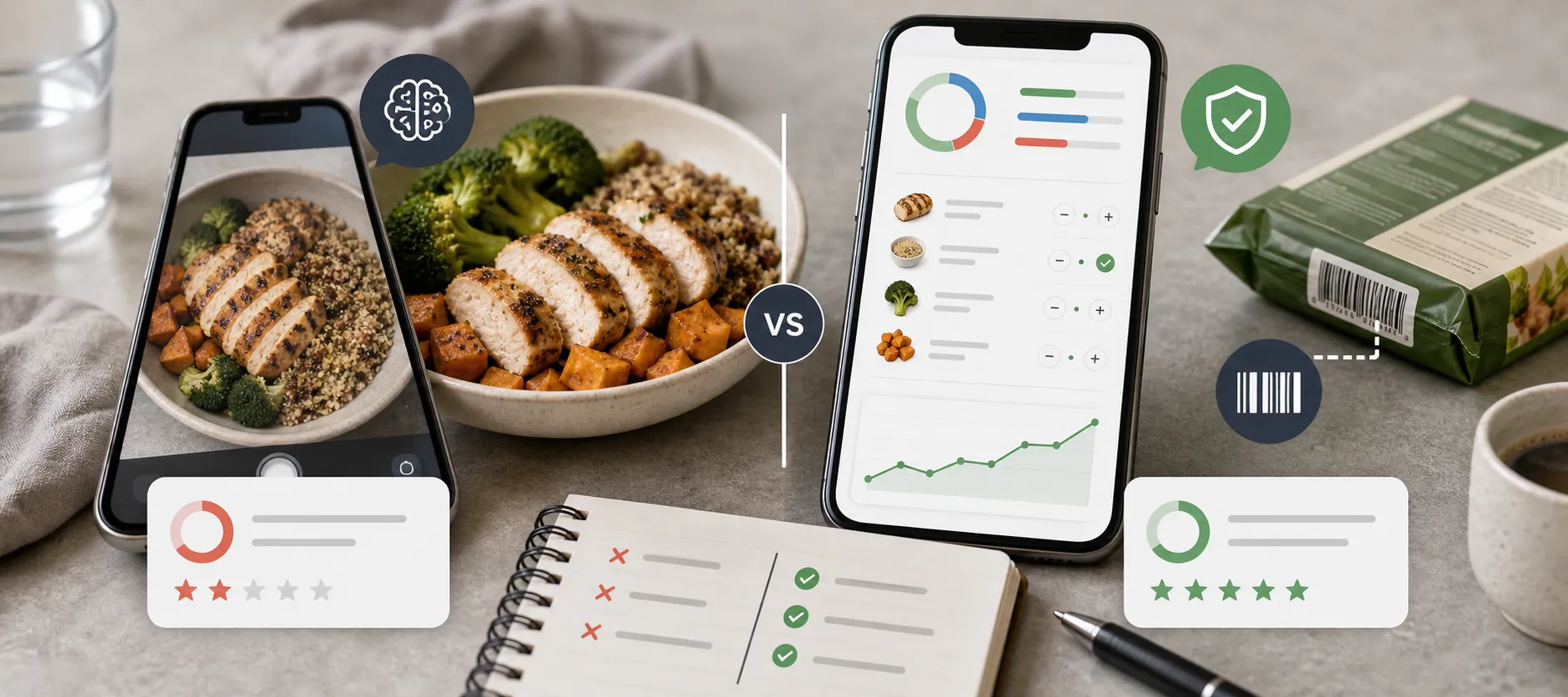
- What you'll learn
- Which alternative fits your reason for leaving Cal AI: food data, cost, meal review or calorie targets.
- Where photo logging and barcode scanning are free, paid or trial-limited.
- How to check whether switching actually improves your everyday food log.
If you're looking for Cal AI alternatives, another app that recognizes a plate of food is only part of the answer. You might want to see where its nutrition values come from, correct a mixed meal more easily, or stop paying for a scanner you use every day.
The strongest starting points are Cronometer for nutrient detail, MyNetDiary for free barcode logging, and MacroFactor for adaptive calorie targets. Kibora is worth considering if you want to review AI-assisted meal entries and get more interpretation from your diary. MyFitnessPal and Lose It suit people who prefer building a routine around familiar foods, recipes and previous meals.
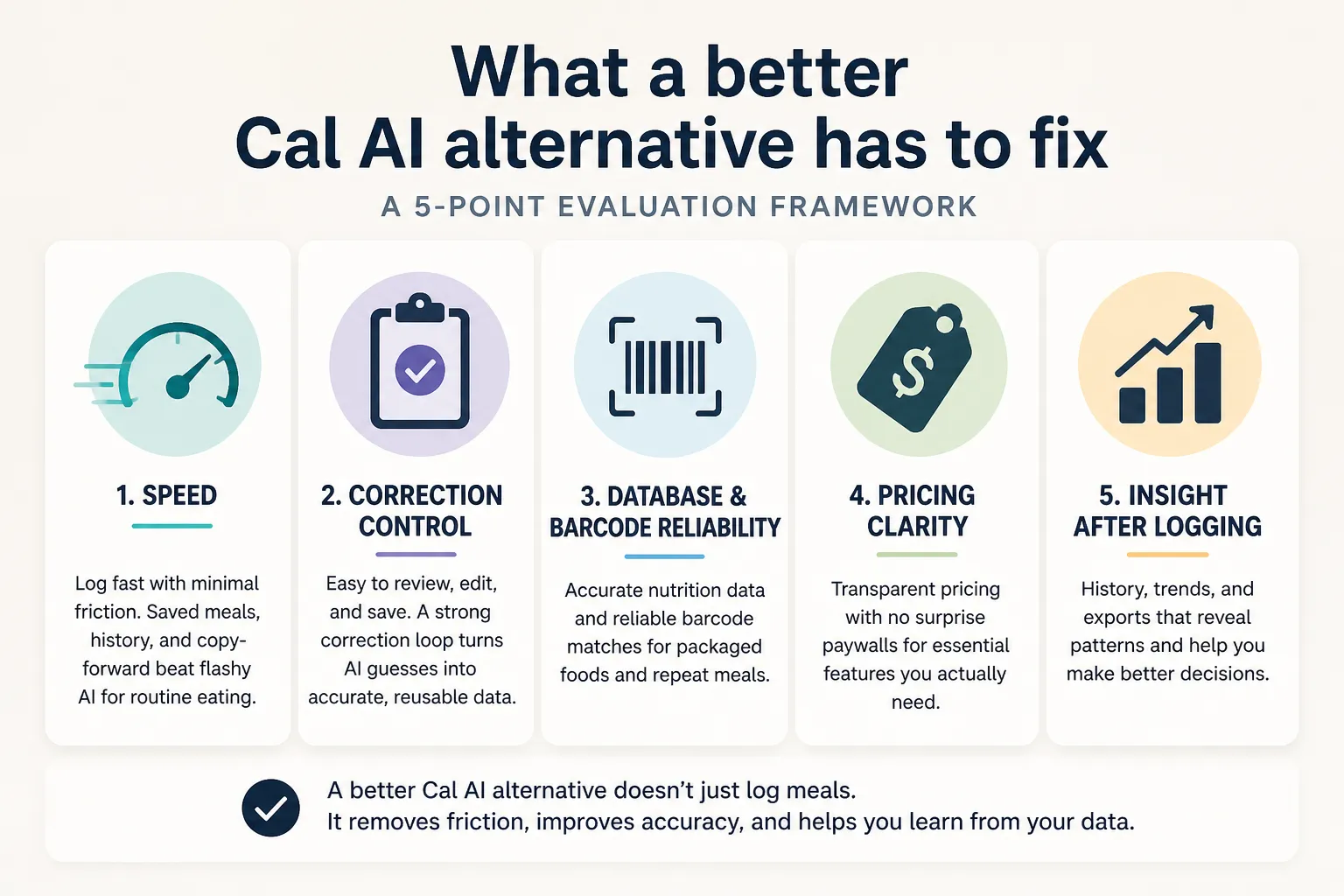
Those are different reasons to switch. More nutrients, more coaching or a different camera interface does not automatically mean a more accurate calorie estimate. The useful upgrade is an app that helps you get the food, ingredients and quantity right—and makes that process manageable enough to repeat.
Cal AI alternatives at a glance
Choose a starting point from the problem you want to solve, rather than treating the list as an accuracy leaderboard.
| Your main reason to switch | Start with | Important tradeoff |
|---|
| You want clearer nutrition data and more nutrient detail | Cronometer | Barcode scanning is free; photo logging needs Gold |
| You want AI-assisted logging plus meal review and insights | Kibora | Hosted AI includes 10 free analyses, then a paid lifetime option |
| You want calorie targets that respond to your progress | MacroFactor | A subscription and regular food and weight logs are part of the commitment |
| You want free barcode logging without ads | MyNetDiary | Ongoing Meal Scan photo logging is a paid feature |
| You cook from online recipes and reuse familiar meals | MyFitnessPal | Recipe tools are free; barcode and photo logging require Premium |
| You prefer a calorie-budget diary with meal-history shortcuts | Lose It | Basic tracking is free; barcode, photo and voice logging require Premium |
The feature limits below reflect official documentation checked in September 2026. Check the offer shown in your account before paying, particularly when a feature varies by platform or region.
Cal AI already offers photos, barcodes and meal descriptions, according to its product page. Switching just to gain one of those input methods may not solve your problem. Our Cal AI review covers its own features and payment terms in more detail.
Cronometer: for clearer food sources and nutrient detail
Cronometer is a useful alternative when your question goes beyond “how many calories?” to what your meals contribute in protein, fiber, vitamins and minerals.
Its data-source documentation distinguishes research-based food composition records from branded-product label data. It also explains that user-submitted foods are reviewed before entering its public database. That gives you something more useful to inspect than a large database count alone.
You can use its barcode scanner for free. If a product is missing, the app can help create a custom entry from package and nutrition-label photos. This is particularly relevant if your frustration with Cal AI is finding and checking the packaged foods you buy repeatedly.
You do not have to give up meal photos, either. Photo logging requires Gold, and its documented review tools let you change amounts, swap matches, add missed foods and remove incorrect ones before saving. A reviewed combination can become a reusable meal or recipe.
The limit is that database quality cannot establish how much you ate. Cronometer also notes that branded-food labels can contain less nutrient detail than comparable generic entries. Choose the entry that matches your food; a more complete nutrient panel is not a reason to substitute a different product.
Kibora: for meal review and help interpreting your diary
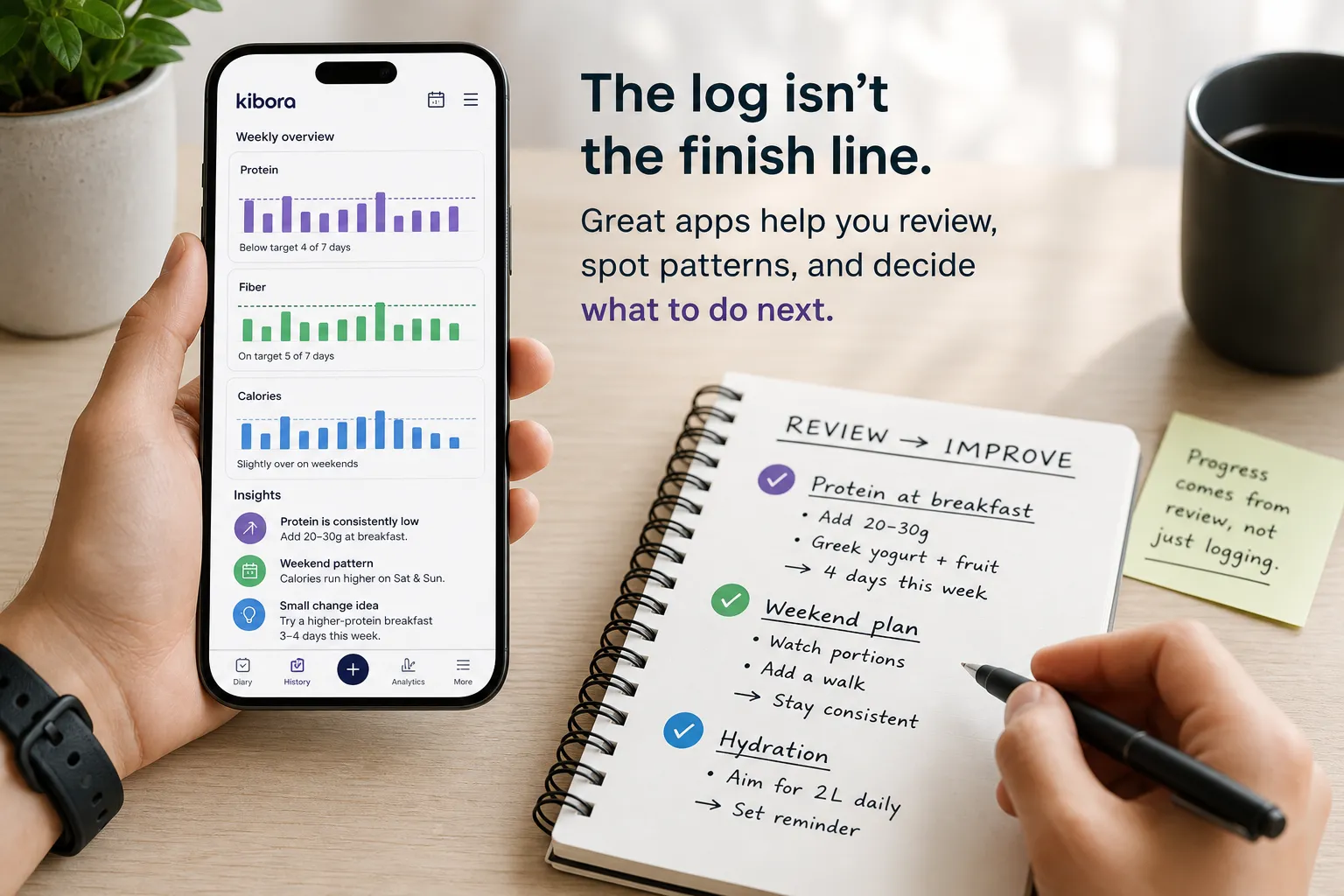
Kibora is worth trying when entering food is only half the problem. You also want help understanding the day's meals or noticing patterns across the week.
Its logging and review features include photo, text, voice and barcode entry, with checks and corrections before saving. You can adjust portions, ingredients, timing or nutrition, then reuse past meals and favorites. Insights cover areas such as protein, fiber, meal timing and food variety.
For example, someone who logs lunch consistently but still struggles to plan dinner may value suggestions based on the day's entries. That is a different benefit from displaying more micronutrients or automatically adjusting a calorie target.
Kibora's current pricing includes 10 free meal analyses, followed by optional €49.99 lifetime access to hosted AI. Manual entry, duplication, favorites, history and analytics remain free. There is also an own-provider option, but that provider may charge for usage.
The reason to choose it is whether that combination of review and interpretation helps your routine. Editable estimates are useful, but they are not unique to Kibora and do not prove its photo results are more accurate than Cal AI's.
MacroFactor: for targets that adapt to your progress
MacroFactor makes sense when you can record meals but are unsure whether your calorie target still fits your goal.
Its expenditure calculation uses logged intake and changes in trend weight to estimate energy needs and inform calorie and macro recommendations. This addresses a different problem from recognizing lunch: deciding how much to aim for as your results develop.
It also offers AI photo logging. You can add a description alongside a photo, inspect the resulting food entries and adjust them before logging. For a mixed dish, being able to supply context and review individual entries can be a practical reason to try it.
The tradeoff is consistent logging. MacroFactor's guidance recommends recording nutrition at least four days per week, ideally daily, for its expenditure and coaching updates. Regular weight information also matters; an occasional meal photo is not enough to get the main benefit.
Its published US subscription prices are $11.99 monthly, $47.99 for six months or $71.99 annually for the Nutrition app. Local prices may differ. It is a stronger candidate for someone who wants ongoing target adjustments than for someone who simply wants free meal capture.
MyNetDiary: for free barcode logging without ads
MyNetDiary is a clear starting point if most of your logging involves yogurt pots, bread, drinks, sauces and other packaged foods—and you want to scan them without a subscription.
Its free plan includes barcode scanning, calorie and macro tracking, and an ad-free diary. MyNetDiary describes its food database as staff-verified. That is useful information about its review process, although you should still compare a match with the label on your own package.
The practical benefit is free access to the method you use daily. If most of your meals start with identifiable products, you can try that workflow without buying an AI plan first.
Photo logging is a separate decision. MyNetDiary's Meal Scan guide describes Premium access and a limited number of scans for free users. It also shows how to replace foods, add missing items and adjust portions before logging.
Choose it for that combination of a useful free diary and optional photo entry. A verified database still cannot tell whether your bowl contained one serving or two, and a limited scan allowance is not ongoing free photo tracking.
MyFitnessPal: for online recipes and a familiar food diary
MyFitnessPal is worth considering if your ideal alternative involves less dependence on meal photos, particularly when you cook from recipes and repeat the same breakfasts or lunches.
Its free features include custom foods, saved meals, recipe creation and importing recipes from the web. You can review ingredient matches and set the number of servings instead of asking a photo to reconstruct a dish after cooking it.
For example, enter a batch of chili once, check the ingredients and servings, then reuse the recipe for later portions. The useful work happens during setup; subsequent meals do not need a fresh estimate of the same dish.
The cost boundary matters: barcode scanning and Meal Scan are Premium features, according to MyFitnessPal's plan documentation. Meal Scan is listed for English-language users on iOS and Android.
It is a reasonable alternative for recipe-based logging. It is a less compelling move if your main aim is to replace paid scanning with free scanning.
Lose It: for a calorie-budget and repeat-meal routine
Lose It is another option if you want to organize food logging around a daily calorie budget and meals you have already entered.
Its getting-started guide describes an Add Yesterday's Meal shortcut, selecting individual foods from previous meals, and building recipes from ingredients. Those tools can suit someone who finds repeating a known breakfast more useful than photographing it again.
Basic calorie tracking is free. Its membership breakdown puts barcode scanning, photo and voice logging, custom nutrient targets and future meal logging in Premium, listed at $79.99 per year in the US.
That makes it a choice about your preferred daily routine, rather than an automatic accuracy or price upgrade. If the appeal is scanning packaged foods without paying, start with Cronometer or MyNetDiary instead. If advertisements are your main concern, our guide to calorie tracker apps without ads considers that separately.
What would actually make your tracking more accurate?
An alternative can improve the information you use and the corrections you make. It cannot recover every hidden ingredient from a photograph.
A systematic review of AI-based dietary image assessment found widely varying results across studies, with lower error ranges for simpler foods. Those findings explain why the meal matters; they do not establish an accuracy ranking of these current apps.
Consider three everyday situations:
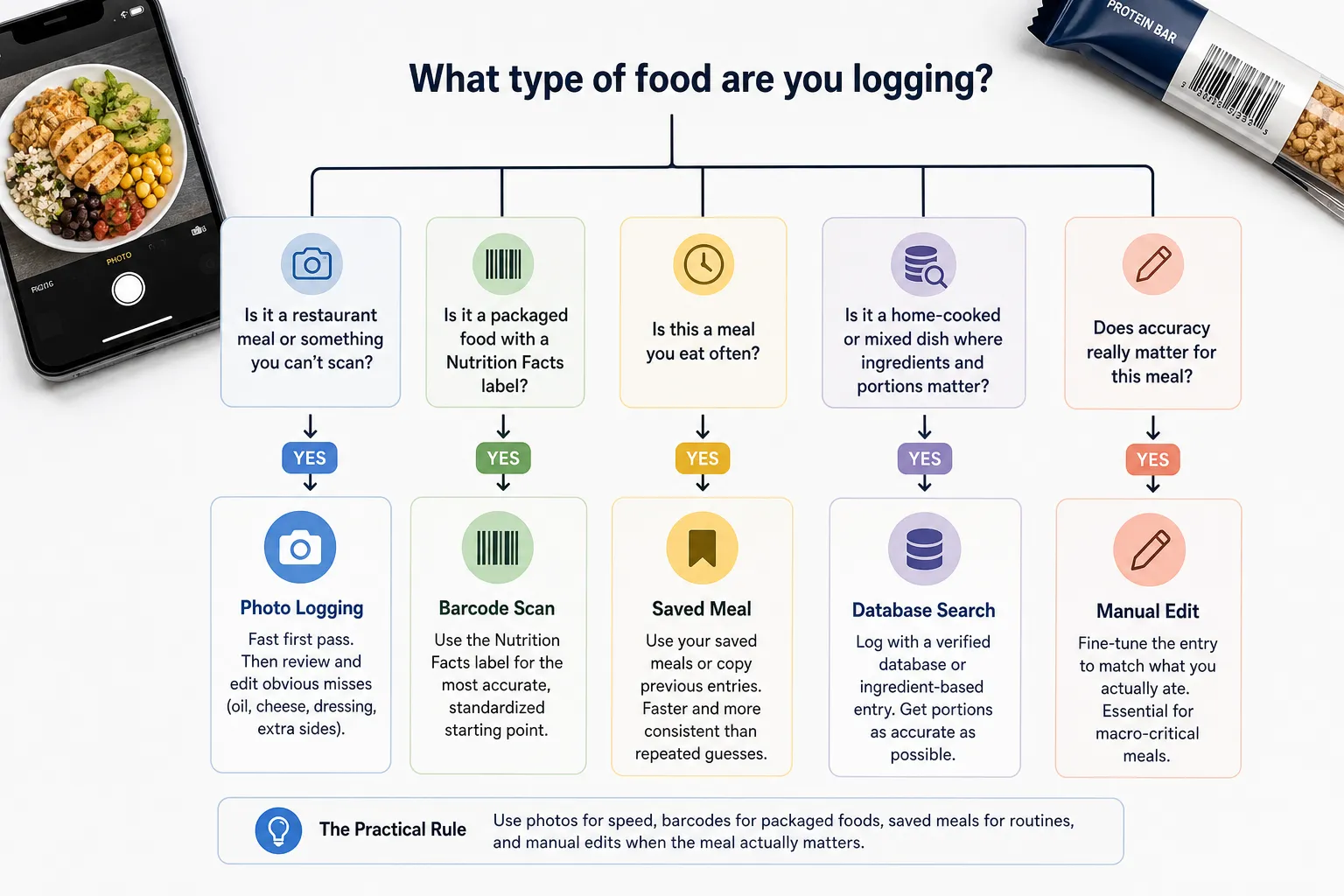
- A packaged snack: a matching barcode entry lets you compare the logged nutrition directly with the label. You still need the amount you actually ate.
- A homemade mixed dish: an ingredient-based recipe lets you include the oil, sauce and quantities you know went into it. Saving the recipe avoids rebuilding it each time.
- A restaurant plate: a photo can provide a starting point, but some ingredients and quantities remain uncertain. Extra decimal places do not remove that uncertainty.
This is why correction tools matter alongside recognition. An app that makes the right correction easier can be a better fit even when its first estimate is imperfect. For a wider selection centered on photo and AI features, see our AI calorie tracker comparison.
Try your normal meals before committing to a switch
Pick one or two candidates and test the task that made you look beyond Cal AI. There is little value in setting up six new accounts or comparing every dashboard.
Use a packaged food you buy often, a homemade meal with known ingredients and a breakfast you repeat. Check whether you can find the right product, change an incorrect amount, add a missing ingredient and reuse the corrected entry the next day. If you want photo logging, check those actions within the photo result too.
Then look at the plan that includes those actions. A generous free diary may be enough for barcode-heavy logging, while someone who wants daily photo analysis needs to compare ongoing paid access. If you need to share records, check the actual report or export you require; Cal AI itself already documents PDF export in its support FAQ.
The right switch should solve an identifiable problem. If the replacement produces a similar estimate but makes correction just as awkward, the improvement may be smaller than expected. And if you keep abandoning otherwise usable trackers, our guide to why calorie tracking isn't working can help you examine the routine as well as the app.
- Key sources
- Cal AI: input methods and support FAQ, including PDF export.
- Cronometer: food-data sources, free barcode scanner and photo logging and correction controls.
- Kibora: logging, review and insight features and free access and lifetime pricing.
- MacroFactor: expenditure calculation, AI food logging, logging requirements and subscription options.
- MyNetDiary: free-plan features and Meal Scan access and editing.
- MyFitnessPal: free recipe and diary tools and Premium feature limits.
- Lose It: meal-history and recipe tools and membership features and pricing.
- Research: AI-based digital image dietary assessment methods compared to humans and ground truth: a systematic review.