- What you'll learn
- How Cal AI handles photos, packaged foods and meals you eat repeatedly.
- What its pricing and free-trial information means before you subscribe.
- What accuracy evidence and user feedback reveal about its strengths and limitations.
- When Cal AI is worth considering, and what would make it a poor fit.
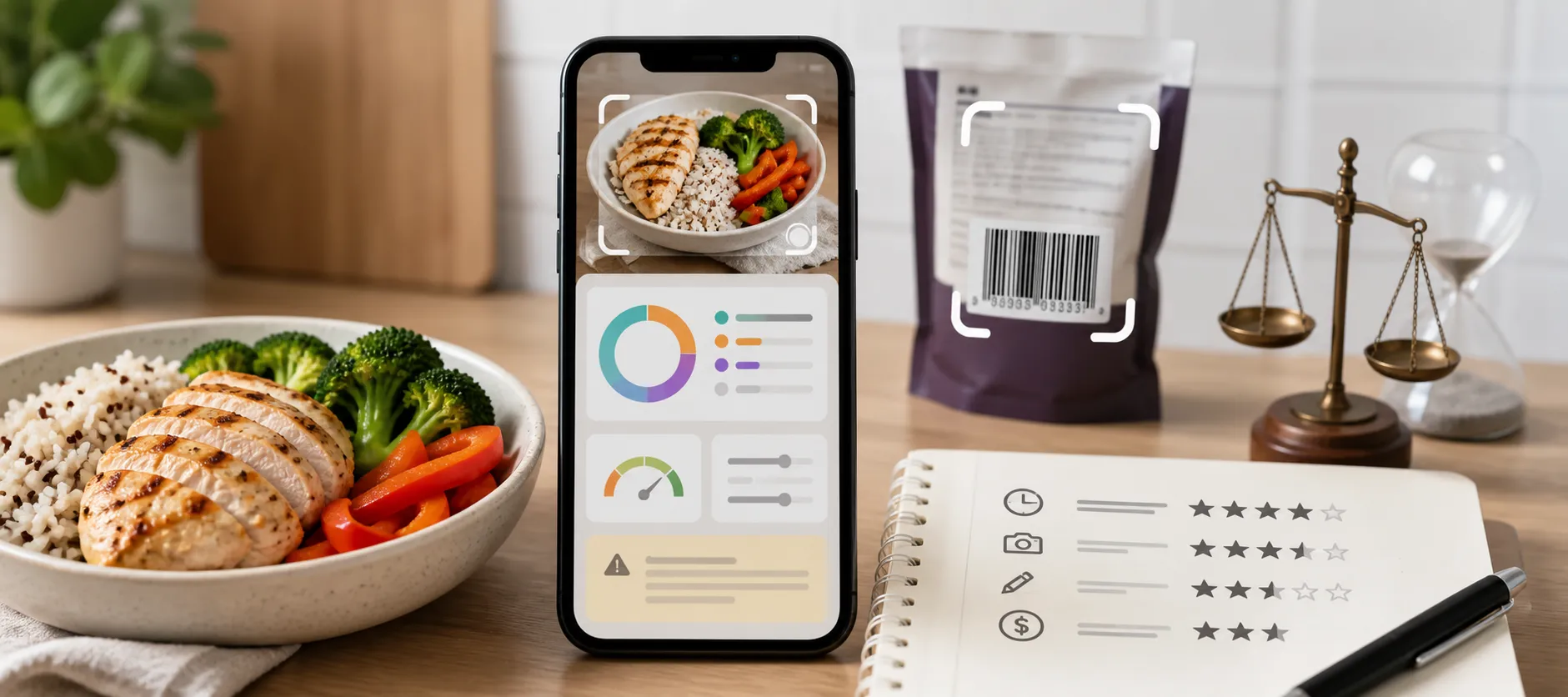
Cal AI looks appealing because taking a food photo can seem easier than searching for ingredients and entering each one. But the reason to pay for a tracker is what happens across an ordinary week: breakfast you have eaten before, lunch without a label, a packaged snack and a homemade dinner.
Before subscribing, it helps to look beyond whether the camera recognizes food. How can you record different meals? What happens when an entry needs attention? And does the subscription buy convenience you will actually use?
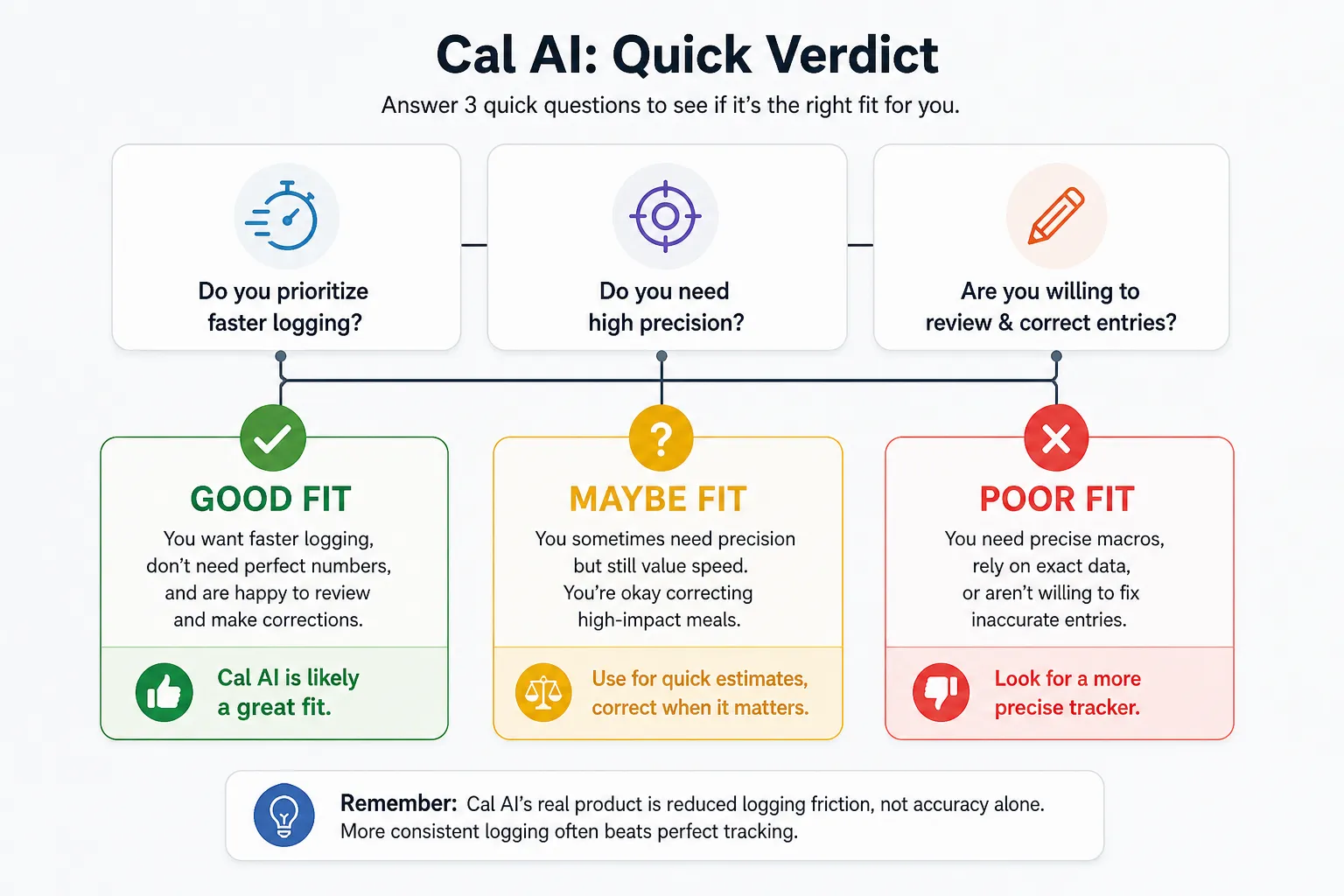
The quick verdict: Cal AI makes sense when food entry is the obstacle
Cal AI is worth considering if manually building meal entries is what puts you off tracking. Its appeal is having photo logging alongside other ways to enter food, rather than relying on the camera for everything. That makes it relevant to someone whose meals vary between cooking at home, eating out and packaged products.
The tradeoff is that an automatically generated entry still needs to make sense. If you expect every meal to be recorded correctly without looking at the result, the convenience promise is likely to disappoint. If you are comfortable using an estimate as a starting point, the more useful question is whether it makes your normal routine easier.
Readers still exploring the category can see our best AI calorie tracker options. This review focuses on what Cal AI itself offers and where the experience can fall short.
Cal AI pricing and free trial: what you are paying for
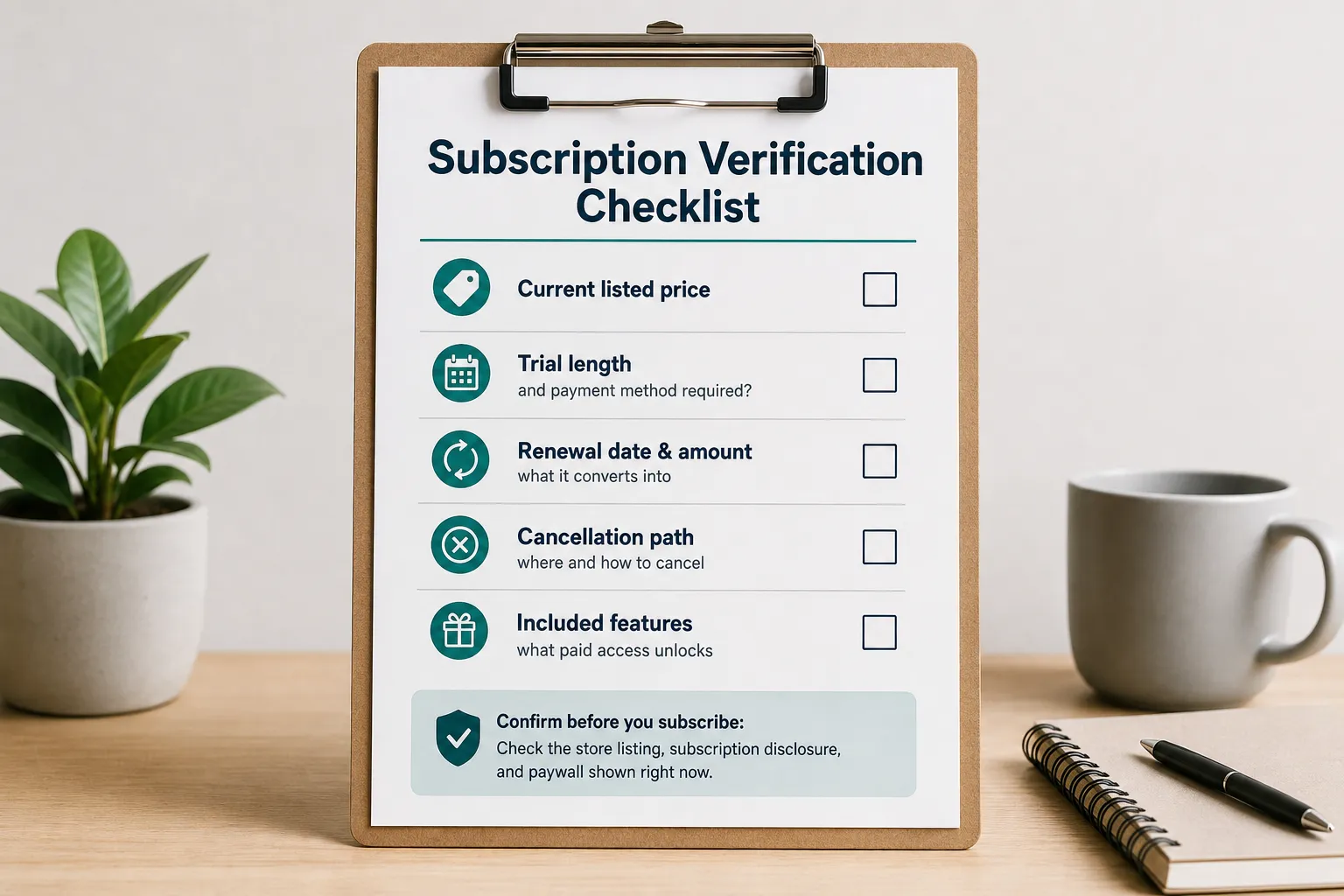
Cal AI requires a subscription for food-scan analysis results. Its US App Store listing shows “Unlimited” purchases including $9.99, $19.99 and $29.99 in September 2026, without identifying their billing periods. Those amounts are not a confirmed monthly or annual price list.
The official website advertises a three-day free trial. Free installation, a trial and ongoing free access are different things; downloading the app does not establish that you can keep analyzing food without paying.
The offer presented to your account needs to show the renewal amount and billing interval together. A smaller payment collected frequently can cost more over a year than a larger annual payment. Comparing the displayed amount alone can therefore give the wrong impression of value.
For a store-billed subscription, cancellation goes through Apple or Google subscriptions. Deleting the app does not cancel the subscription. Cal AI also says a purchase cannot transfer between iPhone and Android, so switching platforms can mean paying again. These details are documented in its support FAQ.
Paying makes the most sense when you will use the logging shortcuts regularly. If you mainly need a place to record a few familiar foods, the appeal of photo analysis may be less important than the subscription initially suggests. If ads and upsells affect your choice, our guide to calorie tracker apps without ads covers that separate consideration.
How Cal AI works beyond the first food photo
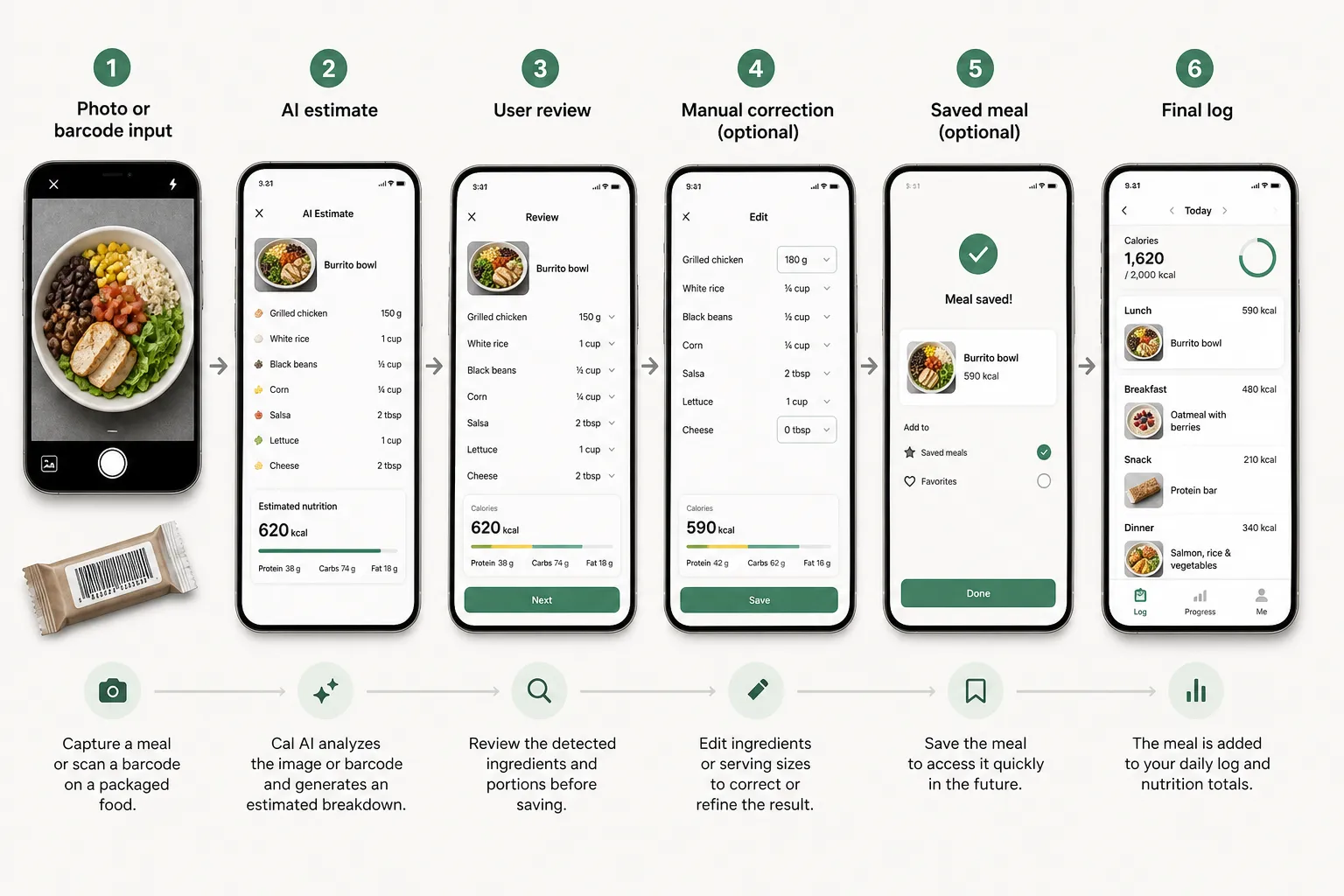
Cal AI's product page describes photos, barcodes and meal descriptions, with calories, protein, carbohydrate and fat estimates. It also documents custom foods and recipes. The Android listing describes remembering frequent meals and tracking intake against goals.
These options matter because different meals present different logging problems. A camera can be a convenient starting point when you have a plate in front of you, but there is little benefit in forcing every food through the same input method.
Packaged foods and familiar meals
Barcode support means Cal AI is relevant to people who eat packaged foods, not just people photographing restaurant meals. The remaining job is to match the entry to what you ate: the product, the serving unit and the amount.
For example, imagine a snack with a label showing 180 calories per 40-gram serving. Eating 60 grams means one and a half servings, or 270 calories. Recognizing the correct product would not fix an entry left at one serving. The FDA's explanation of nutrition labels makes the same underlying distinction: label values refer to the stated serving, which may differ from your portion.
For repeated meals, reusing known information can be more practical than obtaining another photo estimate. That is especially relevant to meal prep: once you know what went into a recipe, retaining those ingredients and quantities is more useful than judging each serving entirely by appearance.
Your food diary after the meal is saved
Cal AI's support documentation covers Apple Health and Google Fit connections and PDF export. It also identifies limitations: there is no direct MyFitnessPal food-history import, and duplicated step data can occur when several connected services feed the same health platform. Cal AI says it cannot manually adjust those step counts.
These are meaningful details if you already have a tracking routine. A new food logger is not automatically a replacement for your existing diary, and an exercise total is only useful if the connected sources are behaving as expected.
Someone starting fresh may care little about importing old meals. Someone with a long food history or several connected fitness services has more to consider. For readers whose main priority is a simpler daily routine, our minimalist calorie tracker guide looks more broadly at that need.
Cal AI accuracy: three different things can go wrong
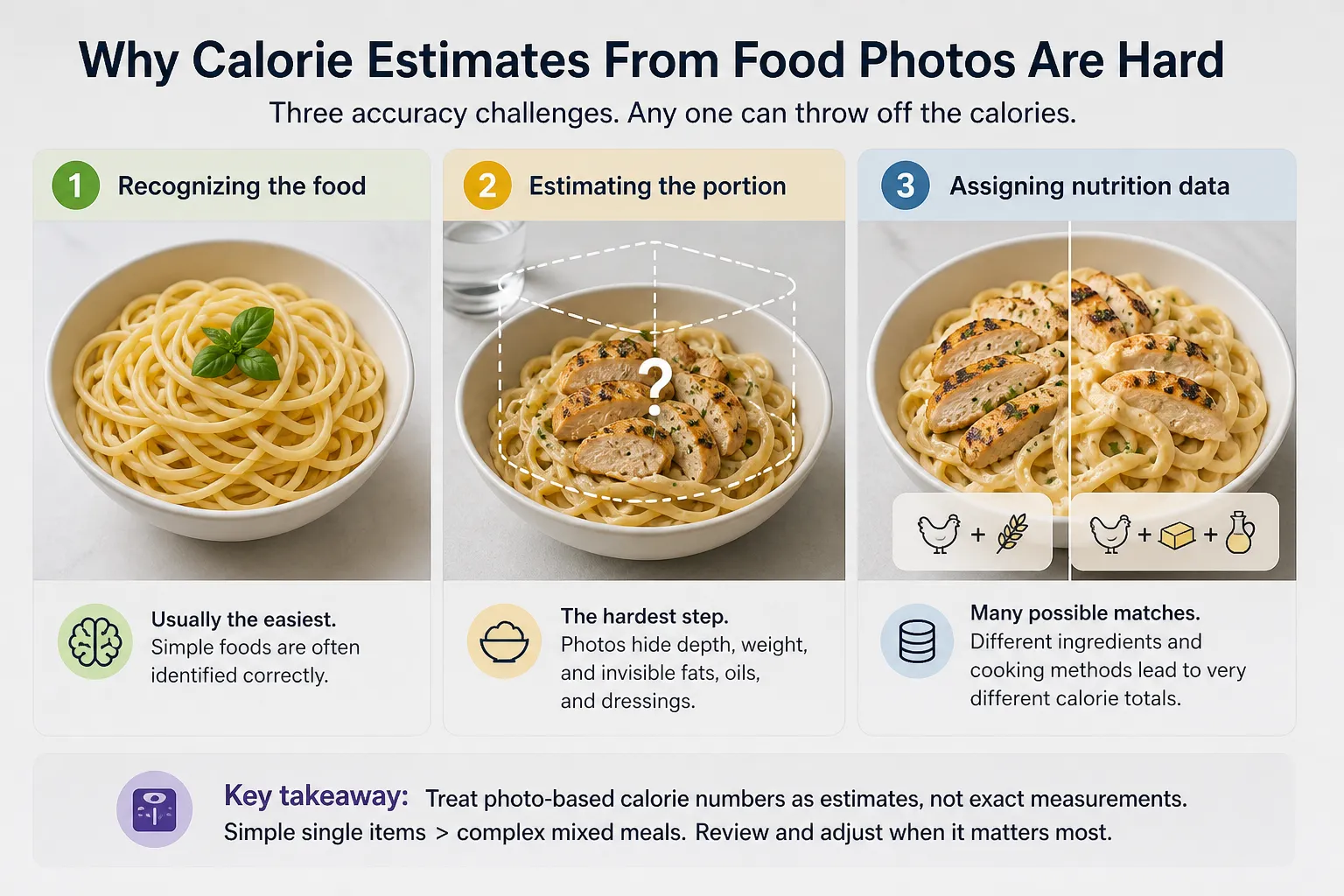
The fairest way to think about photo accuracy is to separate three jobs: recognizing the food, estimating the portion and assigning nutrition values. A result can get the first part right and still produce the wrong calorie total.
A photo may show pasta clearly without establishing its weight. It may show chicken without revealing how much cooking fat was used. And even a reasonable description still has to be matched to nutrition information that reflects the ingredients and preparation.
A systematic review of 52 studies on AI-based dietary assessment found considerable variation between methods and results. Error ranges were lower for single or simple foods, but the researchers could not combine the studies into one overall accuracy estimate. This is evidence about the technology, not a validation of Cal AI's current version.
For a homemade mixed dish, the practical issue is missing information. You may know that the recipe contains cream, oil or a particular amount of cheese; the image alone may not make those amounts apparent. A confident food name should not be mistaken for a measured recipe.
Cal AI acknowledges incorrect scans in its support material. The sensible response is to inspect the food and amount before treating a surprising result as meaningful. An implausible entry is a reason to revisit that entry, not immediately change what you eat based on the day's total.
This also helps separate app performance from the input it receives. A wrong product match is different from selecting the right product but logging the wrong serving. For the wider problems that affect both manual and photo-based diaries, see why calorie tracking can fail in real life.
What user reviews reveal: speed, scan quality, corrections and billing
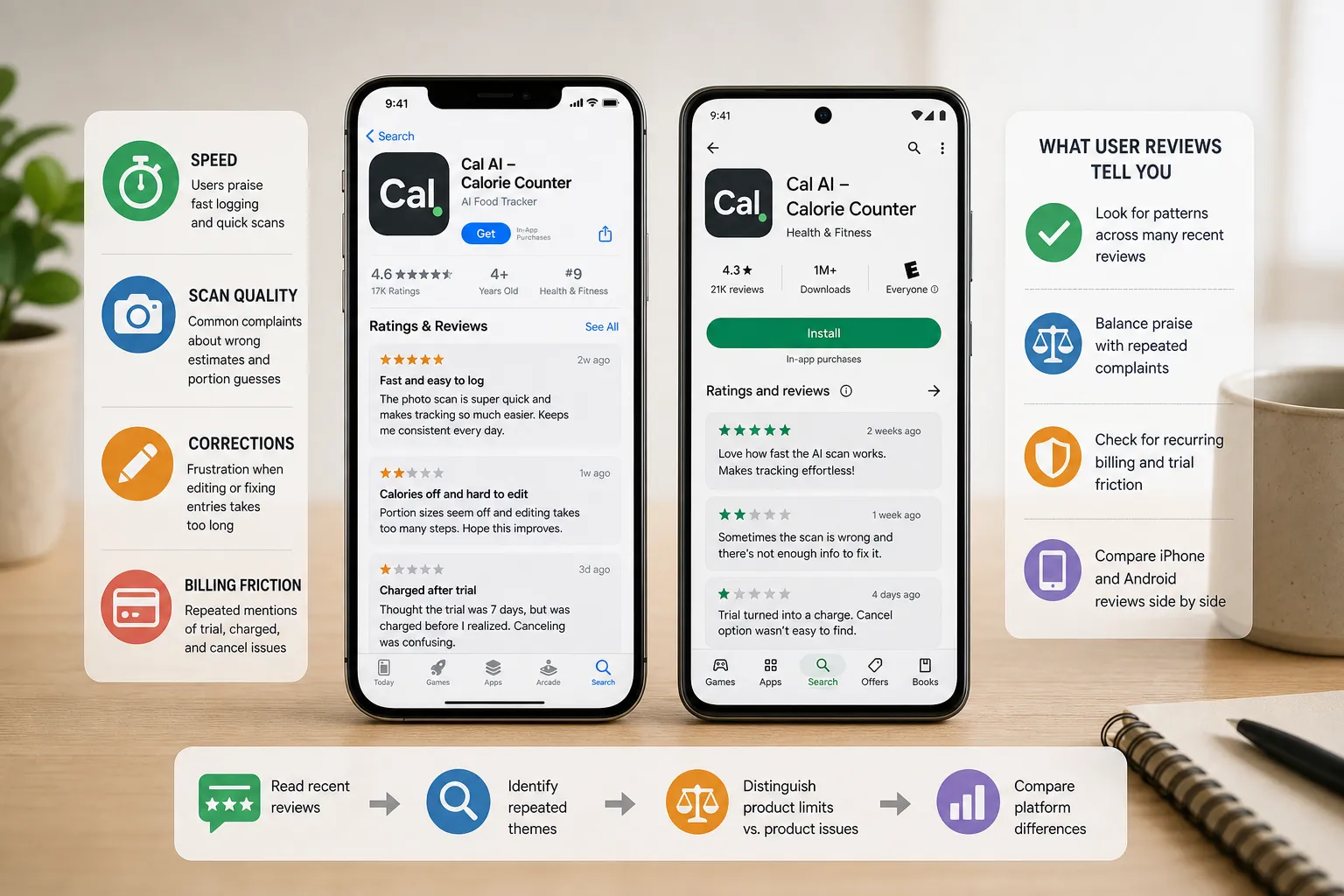
If you are checking App Store and Google Play feedback, do not overreact to one glowing post or one angry refund story. A review is most useful when it explains what the person was trying to do, what worked and where the process broke down.
The same app can be convenient for one person's routine and frustrating for another. Someone logging mostly familiar meals may have a different experience from someone frequently adding unfamiliar products or mixed dishes. That context helps explain apparently conflicting feedback without dismissing either person.
Convenience and correction effort
A June 2025 App Store review praised easier meal entry but also described occasional missing logs and implausible calorie results. The useful point is that the reviewer valued the app despite those problems. Enjoying the workflow and encountering mistakes are not mutually exclusive.
Android feedback supplies a different perspective. A February 2026 Google Play review praised the interface but reported incorrect barcode matches and extra work managing entries. A September 2026 reviewer described inconsistent estimates for repeated meals.
These examples put a more specific question behind the promise of speed: how much work remains after the first result appears? A quick capture has limited value if you repeatedly need to search again, repair the entry or reconstruct a meal that did not save.
Conversely, an occasional correction does not automatically make the app a poor purchase. The relevant distinction is whether fixing a problem is an exception in your routine or a regular part of almost every meal. A store rating alone cannot tell you which experience you will have.
Billing complaints and platform differences
Billing feedback needs the same balanced treatment. An April 2025 Google Play reviewer said pricing appeared only after entering personal information. That is a report about one signup experience, not proof of how every current offer is presented.
It does highlight why the subscription decision deserves attention before the trial starts. Liking the interface, understanding the renewal terms and wanting to keep paying are separate judgments. A complaint about an unexpected charge should not be treated as evidence that food recognition is inaccurate, just as a positive scanning review says little about billing clarity.
Also separate product limits from input problems. Blurry photos and hidden ingredients can complicate estimation, while a failed save or an incorrect barcode match raises a different question about the logging experience. Treating every complaint as the same “accuracy issue” makes the feedback less useful.
Finally, consider platform and date. An older iPhone comment should not establish a current Android limitation. The examples above identify issues worth examining, but they are not a representative survey or a measured failure rate. Detailed, recent reviews of tasks resembling your own are more informative than isolated praise or a striking error screenshot.
How to decide whether the trial is worth keeping
The first successful scan is an introduction to the app. A more useful assessment is whether you would want to use it again for an ordinary day of eating.
Use the trial on meals that represent your routine rather than choosing only easy demonstration foods:
- A familiar packaged food: does the entry match the label and the amount you ate?
- A meal you cook yourself: does the result reflect the ingredients and portion you know?
- A meal you eat repeatedly: can you record it again without unnecessary work?
- An entry that needs changing: can you make the correction and leave a usable record?
You are assessing the whole task, from starting an entry to having it saved correctly. This is different from timing how quickly a calorie number appears on screen.
It can also reveal that you value a different feature than expected. You might download Cal AI for photos but find barcodes or repeat meals more useful. That is still a reason to keep it if the resulting routine is worth the cost to you. If the app remains something you need to persuade yourself to open, a successful demonstration is a weak reason to continue paying.
Who should try Cal AI, and who should choose a different tracker?
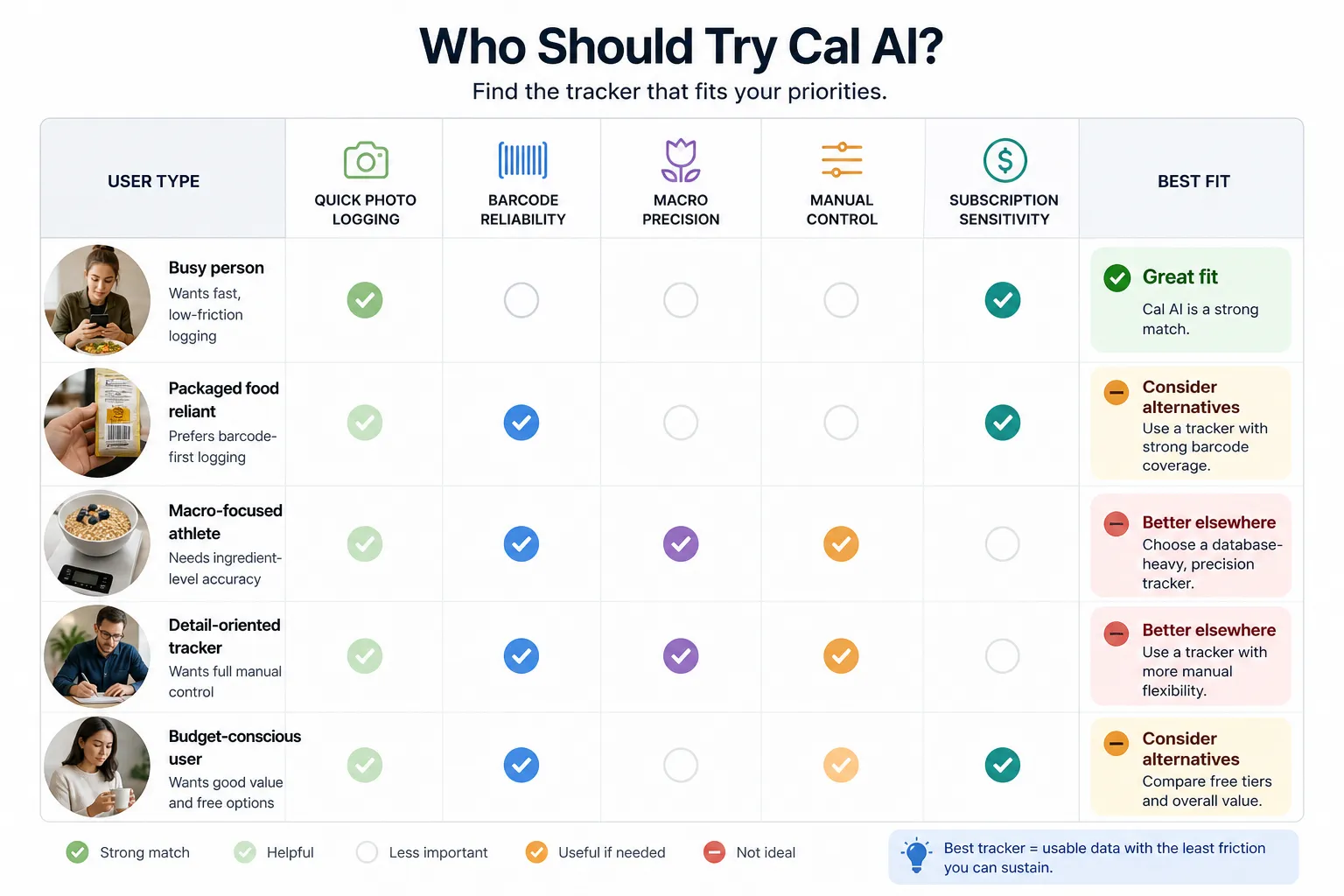
Cal AI is a reasonable candidate for people who want a flexible food diary and find manual entry tedious. Its range of entry methods gives you options across different meals, while its calorie and macro focus addresses a straightforward tracking need. You do not have to treat every photo result as exact to find that useful.
It is a weaker fit if you want ongoing free food-scan analysis or need to bring an existing MyFitnessPal diary with you. Those are concrete product constraints. It is also unlikely to meet the expectations of someone who wants photographs to replace knowing ingredient quantities and serving sizes entirely.
There is a middle group: people who already log successfully elsewhere but are curious about AI. For them, switching should solve a specific inconvenience. If entering lunch is already easy, adding a camera may provide less value than expected. If mixed meals repeatedly make you abandon logging, another way to begin an entry may be more relevant.
For a wider selection organized around different needs, see our broader calorie tracker roundup.
The reason to keep Cal AI is that it helps you maintain a useful food record at a cost you accept. Its strongest selling point is easier entry; the purchase only makes sense when that benefit survives the rest of your daily workflow.
- Key sources
- Cal AI: product features and advertised trial; support FAQ on billing, imports, syncing and exports.
- Apple App Store: Cal AI's US listing, purchase labels and user feedback.
- Google Play: Cal AI's Android listing and dated user reviews.
- Peer-reviewed research: AI-based digital image dietary assessment methods compared to humans and ground truth: a systematic review.
- FDA: How to Understand and Use the Nutrition Facts Label.