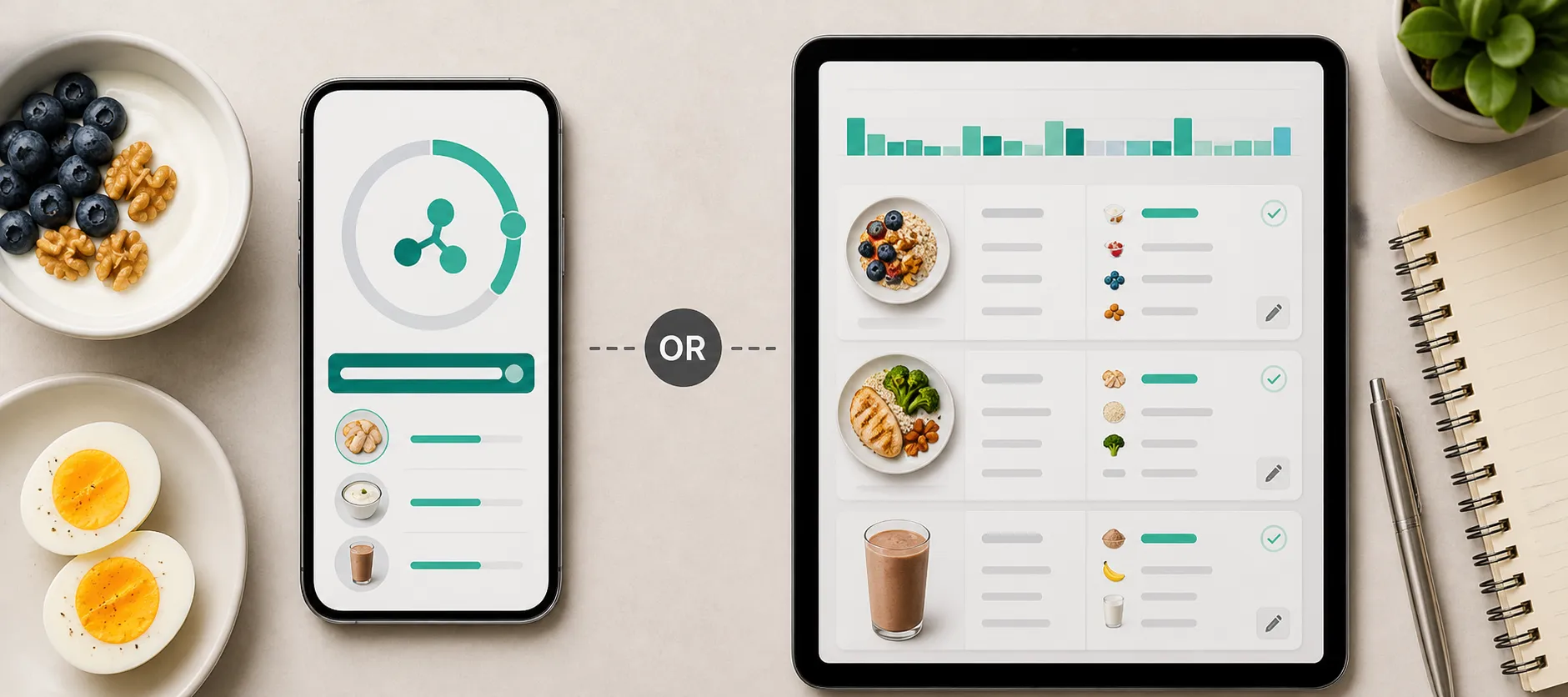
Checking one daily protein number shouldn’t require maintaining a complicated calorie diary. If you already know how much protein a meal contains, entering those grams may be enough; other readers need reusable meals, nutrient detail or coaching.
The best protein tracker is the one whose daily workflow fits your needs, from adding food to correcting portions and repeating meals. These six need-based picks show where a simple counter is enough, when a fuller diary earns its complexity, and what remains available through ongoing free tracking versus paid shortcuts.
The best protein trackers, by what you need
Kibora is our pick for logging everyday meals and seeing how your protein intake adds up over time. Protein Buddy keeps the focus on protein alone. MyNetDiary offers a free full food diary, and Cronometer goes deeper into individual nutrients.
Free tracking means you can keep logging protein without a subscription. Photo analysis and other extras vary by app.
| App | Best for | Free tracking | Free exact gram goal | Platforms |
|---|
| Kibora | Meal logging and protein trends | Yes | Calculated | iOS, Android, web |
| Protein Buddy | Protein-only tracking | Yes | Yes | iOS, Android |
| MyNetDiary | Free food diary | Yes | Yes | iOS, Android, web |
| Cronometer | Nutrient detail | Yes | Yes | iOS, Android, web |
| MacroFactor | Adaptive coaching | No | No | iOS, Android |
| MyFitnessPal | Existing diary users | Yes | No (US) | iOS, Android, web |
Kibora runs in the browser and installs as a web app on iPhone and Android. Protein Buddy has an Android listing, though US Android install availability could not be confirmed.
The exact gram goal column refers to typing in a number yourself. Kibora displays a protein target in grams based on your settings. MyFitnessPal charges for direct gram entry in the US.
Kibora for quick meal logging and protein trends
Kibora is a good fit if you want to track protein from the meals you already eat and see how it adds up across the day and week. Photograph your chicken-and-rice lunch or describe it in your own words, then check the estimated protein and adjust the chicken portion before saving. Your dashboard shows how the meal contributes to your daily protein target.
If that lunch is a regular, save it as a favorite and add it again in one tap. You can also pull up a past meal from history and adjust it for today’s portions. The daily totals help you see where you stand, and the trends show whether your intake varies between days. Kibora also gives you the broader nutrition picture, including calories, carbs, fat and fiber.
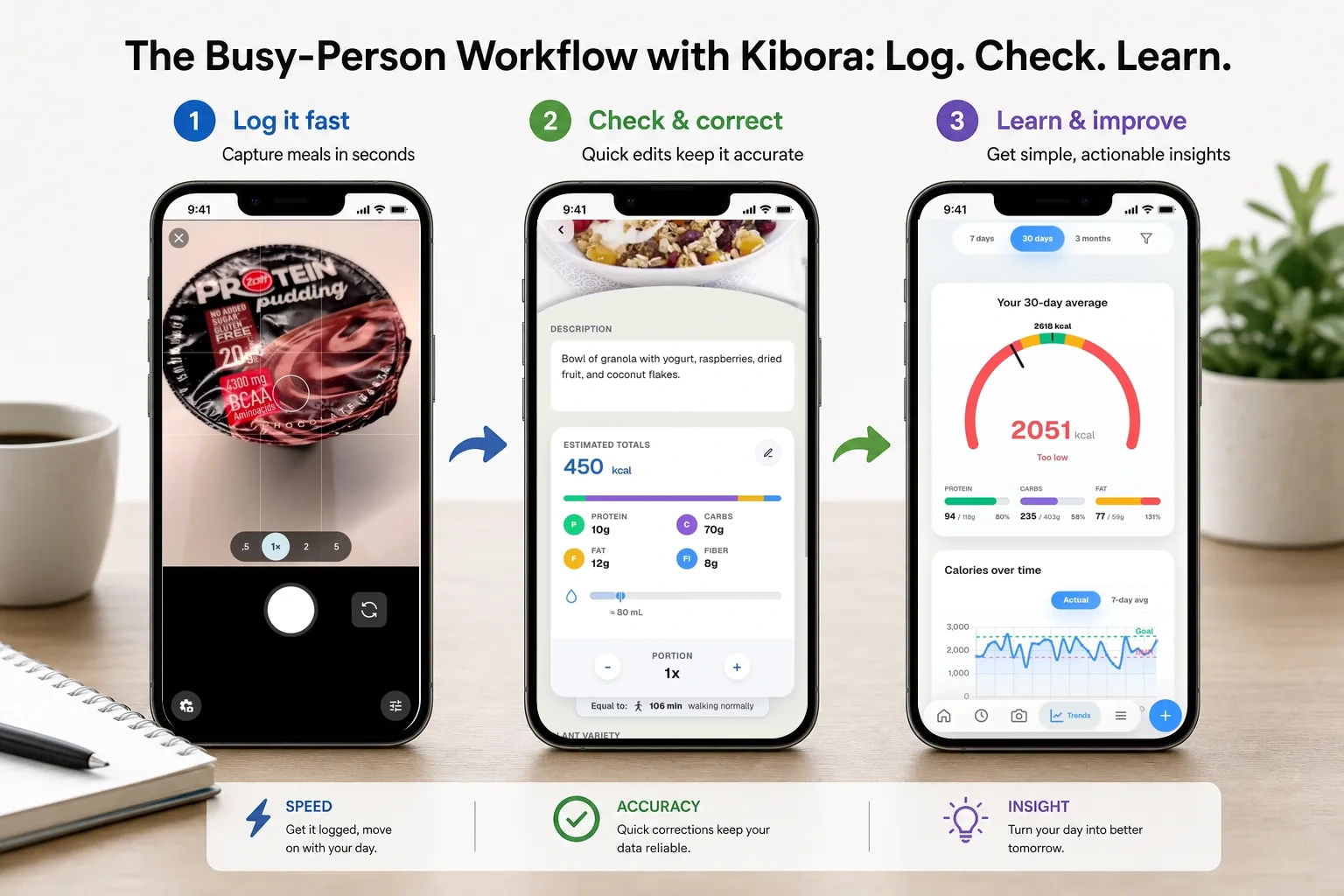
Kibora Free is 100% free forever, with all features included. Connect your own AI key for AI logging and insights. To try hosted AI, you get 10 meal analyses and 5 AI insights without a card or API key. Kibora Plus includes hosted AI for a one-time payment.
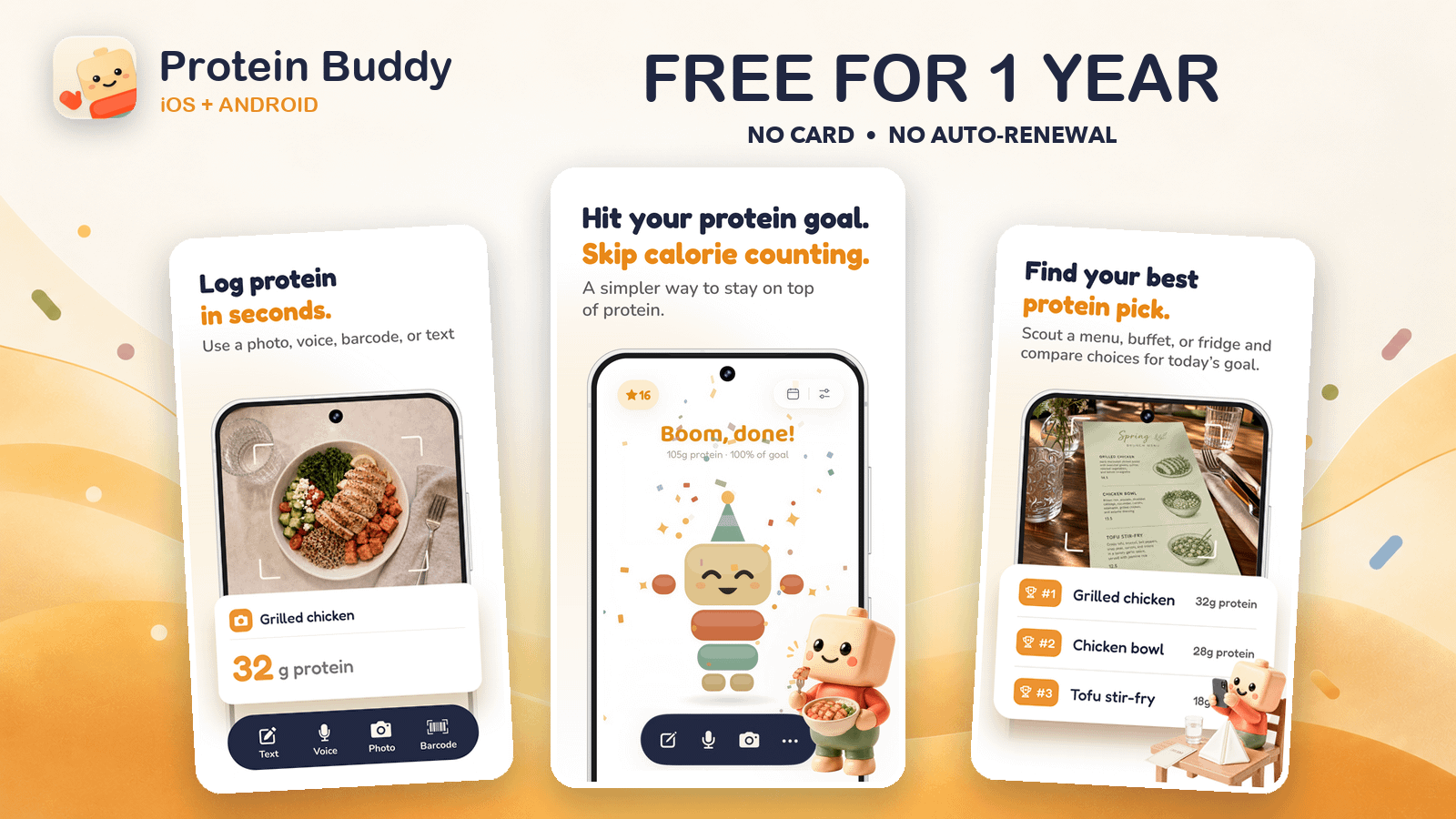
Protein Buddy: keep the focus on protein
Protein Buddy is the clearest fit here for readers who want protein awareness without a mandatory calorie-centered diary. You can keep the display focused on your personal daily protein target, with calories and broader macros optional.
The official FAQ advertises ongoing free manual, barcode and typed-meal logging. Photo logging, voice logging and Protein Scout each get three free tries before payment, so those extras should not be mistaken for unlimited free AI access.
The add-and-correct workflow lets you log an entry, then edit its protein grams, date or time. Calendar history supports reviewing past entries, but the documentation does not establish reusable saved meals or conventional breakfast, lunch and dinner subtotals.
An October 5 App Store reviewer captured the appeal: “Everything happens in that one chat, I don't have to dig through screens.” That illustrates one person’s preference for a contained workflow, not evidence of nutritional accuracy.
iPhone/iPad and Android listings exist, but US Android install eligibility remains unresolved because the retrieved Google Play page regionalized to Poland; web tracking was not verified. The US App Store lists annual purchases from $19.99 to $39.99, weekly options at $2.99–$3.99 and one-time lifetime purchases at $49.99–$59.99. These are listed variants, not guaranteed new-customer offers.
MyNetDiary: a strong free diary for protein tracking
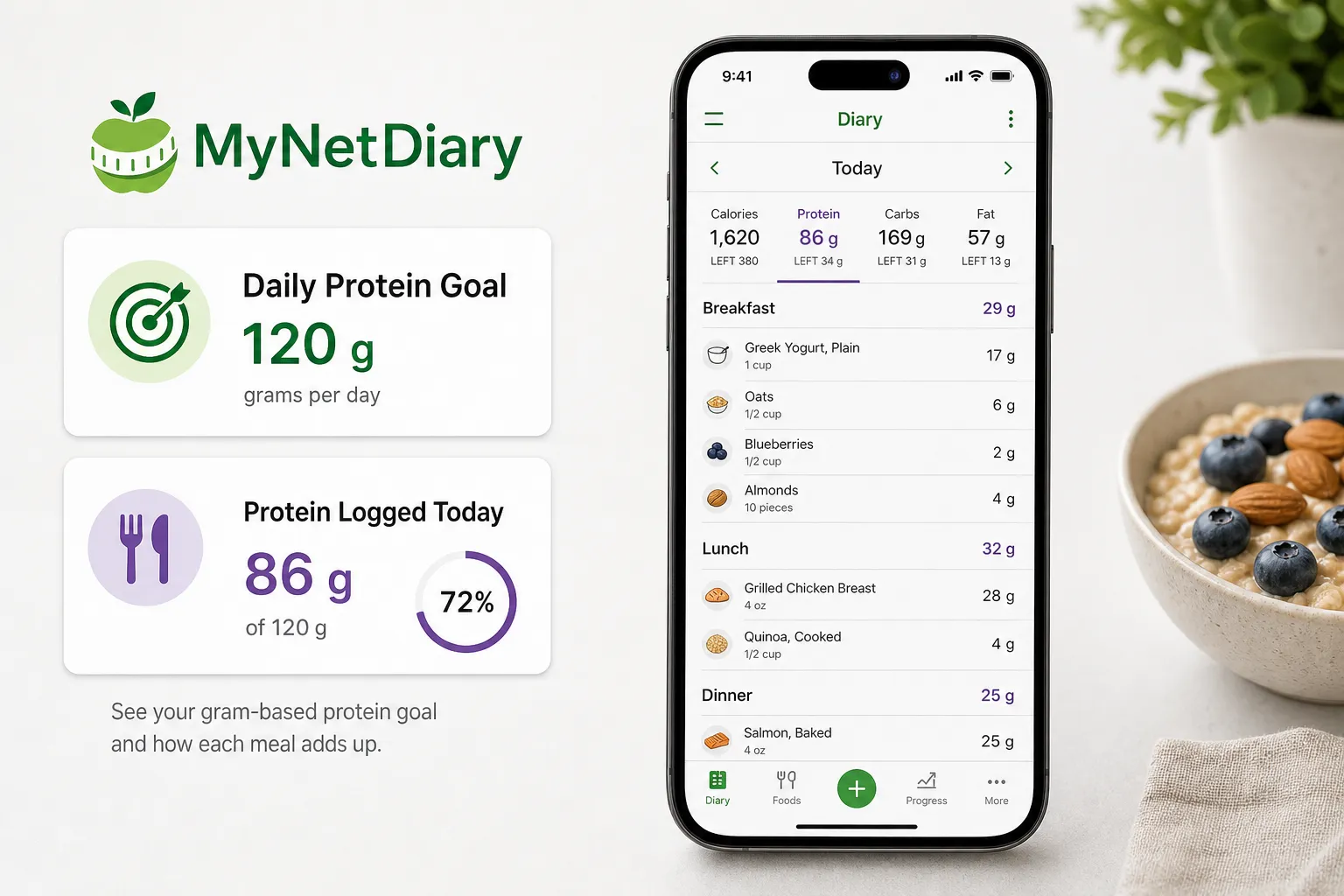
MyNetDiary is a strong choice if you want free gram-based protein goals, barcode scanning and an ad-free diary without a subscription deadline. Its official feature comparison lists ongoing macro tracking and protein planning in either grams or calorie percentages. That distinction matters: seeing protein grams is useful, but setting your daily goal directly in grams makes it easier to track a target you already have.
The everyday workflow covers more than searching for packaged foods. You can scan a barcode, add food manually, create custom foods and recipes, then reuse favorites, recent meals or a copied day. MyNetDiary’s logging help documents these repeat-entry options, which are particularly useful when breakfast and lunch rarely change.
For example, you could retrieve yesterday’s yogurt-and-oats breakfast, change the yogurt serving to match today’s bowl, and keep the same daily protein target in grams. You are correcting the food entry rather than rebuilding the meal or changing your goal to accommodate what you ate.
Meal-level protein is supported, but visibility can depend on dashboard configuration. In a September 10, 2026 user report, one person described meal carbohydrate and protein totals disappearing after selecting a GLP-1 configuration. That is a specific reported dashboard state, not evidence that meal protein is universally unavailable. If meal-by-meal totals are central to your routine, check the layout you intend to use.
The free and paid logging tools also need separating. Basic voice logging is free, while Meal Scan photography requires Premium and AI Voice Logging belongs to Premium Plus. Meal Scan lets you review food matches and change portions, so it is a reviewable entry method rather than a reason to accept every photo estimate unchanged.
Premium costs $8.99/month or $59.99/year; Premium Plus is $99.99/year for the additional AI tools. Local checkout prices can vary. Neither upgrade is necessary for the core barcode-and-gram-goal workflow.
MyNetDiary puts protein in a broader calorie and nutrition diary. It works on iPhone and Android, and you can track on the web with an account.
MyFitnessPal: useful if it is already your food diary
MyFitnessPal’s strongest reason to stay is continuity. If your familiar foods, recipes and integrations already fit your routine, a rival’s longer free-feature list may not justify rebuilding it.
Free includes manual logging and protein totals, plus custom foods, recipes and recent/frequent foods. For a familiar breakfast, find the food, adjust its serving size and log it; reuse the entry next time. Seeing protein grams is free, even though customizing an exact daily gram goal is not.
The US baseline puts exact gram goals and barcode scanning behind a subscription; Free goals use macro percentages. Premium is advertised at $19.99/month or $79.99/year. You are paying for the barcode shortcut, not permission to log that same food manually.
Other boundaries matter: Free Quick Add records calories only, while adding protein and other macros through Quick Add is paid. Premium also provides mobile meal-macro breakdowns, which are not separate per-meal protein targets. Saved Quick Add entries remain editable.
MyFitnessPal supports iOS, Android and web, but Meal Scan requires Premium, English, supported app versions and iOS 18 or Android 13. It is mobile-only and allows serving corrections.
A July 2026 discussion illustrates the tradeoff: some participants valued paid barcode convenience; others found Free sufficient. Those are individual preferences, not evidence that everyone needs Premium.
Cronometer: protein tracking with deeper nutrient detail
Cronometer suits readers who want to see protein alongside the rest of their nutrition, rather than maintain a protein-only counter. Its iOS, Android and web access makes it useful for logging on your phone and reviewing a more detailed diary on a larger screen.
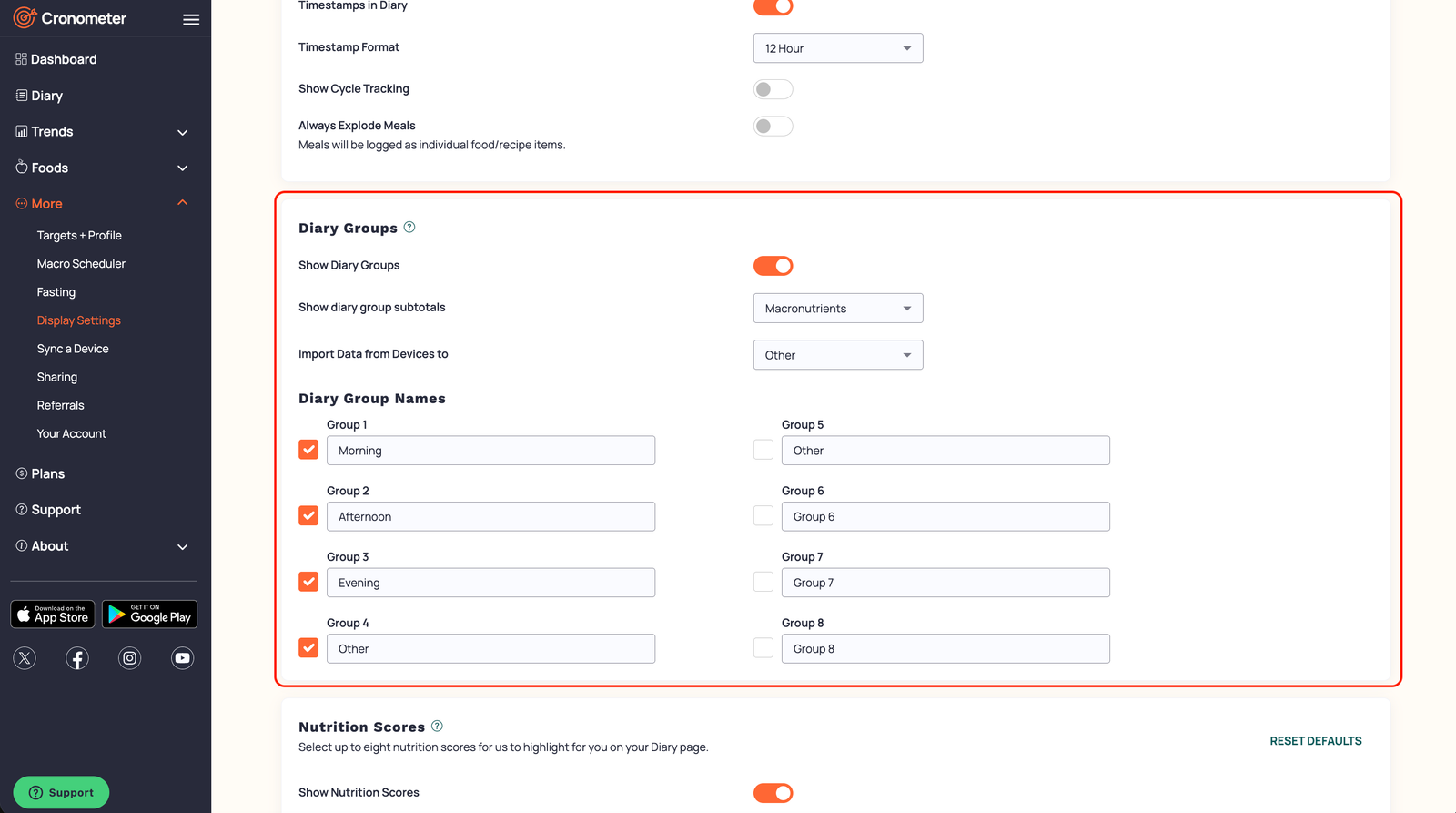
Basic is free indefinitely and includes custom nutrition targets, barcode scanning, custom foods, recipes and diary groups. You can set a protein goal and maintain a useful diary without subscribing, although the free tier includes ads and the interface gives you more information to navigate than a simple protein counter.
The everyday workflow supports careful portion tracking: add a food, then edit its amount or serving size to match what you ate. Favorites and recents help you find familiar foods, while copying entries reduces the need to rebuild meals you eat regularly.
For meal-level detail, place your lunch foods in a diary group and inspect that group’s nutrition summary to see its protein contribution. That is a meal breakdown, not a separate lunch protein target. Cronometer also documents copying yesterday’s group, making a familiar lunch a reusable starting point that you can adjust for today’s portions.
The key free-versus-paid distinction is analysis depth, not whether basic protein tracking works. Basic’s seven-day analysis window limits the period available for that analysis; it does not mean older diary entries are deleted. Gold adds expanded analysis and photo and voice logging, with published pricing starting at $10.99/month or $59.99/year, according to Cronometer’s media information.
Gold’s meal-photo logging remains a reviewable estimate, not a substitute for checking the entry. You can change serving sizes, replace foods, add missing items and correct mismatches. The official instruction is explicit:
“Always check if your foods have been matched correctly before adding to your diary for the most accurate logging.” — Cronometer Mobile Photo-Logging help
Recents and copying also offer practical fallback routes. During a temporary search outage on September 22, 2026, support suggested recents, barcode scanning and copied entries as alternatives. That dated incident does not establish persistent unreliability, but it illustrates why repeat-entry tools matter beyond convenience.
Choose Basic first if you want precise portions and a wider nutrient picture. Gold becomes relevant when richer analysis or additional logging methods solve a recurring need, not simply because you want to monitor protein.
MacroFactor: pay for coaching, not just a protein counter
MacroFactor Nutrition has no ongoing free tier: its seven-day trial introduces a paid adaptive-coaching system. Its coaching approach is the reason to consider paying, not access to protein totals you can get free elsewhere.
The dashboard shows protein intake and targets, with consumed and remaining views. That makes it useful for checking progress toward your daily goal, even if the broader coaching tools exceed your needs.
For everyday logging, you can use barcodes, manual entries or quick-add, then correct portions. AI Food Logging accepts photos, photos with text and uploaded images, with editable results. Its separate nutrition-label scanner reads label information, rather than identifying a barcode or estimating a plated meal.
Custom foods, recipes and past logs support repeat meals. The diary uses a timeline rather than fixed breakfast, lunch and dinner sections, so do not assume conventional meal subtotals.
Standalone Nutrition pricing is $11.99/month, $47.99/six months or $71.99/year, separate from workout bundles; regional checkout prices and taxes can vary. Access is iOS and Android only, with no desktop version.
Barcode usefulness varies by country, so check coverage if packaged-food scanning drives your choice. If you are weighing coaching against nutrient analysis, the MacroFactor versus Cronometer comparison explores that tradeoff.
Choose with one meal, not a feature checklist
Before paying for a protein tracker, log one familiar meal, correct its portion, check your progress toward your daily protein target and repeat it the next day. The same breakfast or lunch gives you a practical way to compare apps without getting distracted by feature lists.
Look beyond the first entry: can you find the protein grams, fix an amount and reuse the corrected meal without rebuilding it? Correction and reuse matter because those are tasks you will repeat, not just explore once.
If you start from a photo, double-check the main protein source and portion. In a study of standardized hospital-meal photos, AI models estimated protein less reliably than energy or carbohydrates.
Check that the steps you need are available after any trial ends. To try Kibora’s workflow, log a meal, review the estimate and see how it contributes to your protein target. If you already know the ingredients and serving sizes, the protein in food guide can help you look up individual foods.
Start with the least complex option that meets your needs. Upgrade for a specific benefit, such as easier repeat logging, rather than extra information you will not use. If carbs, fat or broader coaching become genuine requirements, explore the beginner macro-tracking roundup.
- Key sources
- Protein Buddy official homepage and FAQ
- Protein Buddy US App Store listing
- MyNetDiary iPhone feature comparison
- Cronometer Gold comparison
- MacroFactor Nutrition official product page
- MyFitnessPal free-version help
- MyFitnessPal Premium pricing
- Kibora features and meal review
- Kibora pricing and hosted AI trial
- Accuracy of AI-Based Nutrient Estimation from Standardized Hospital Meal Images: A Comparison with Registered Dietitians