- What you'll learn
- Which calorie counter apps stay genuinely usable on the free tier
- Why FatSecret ranks first for low-friction daily food logging
- How Cronometer compares if you care about macros and micronutrients
- Where Lose It!, YAZIO, and MyFitnessPal start adding more paywall friction
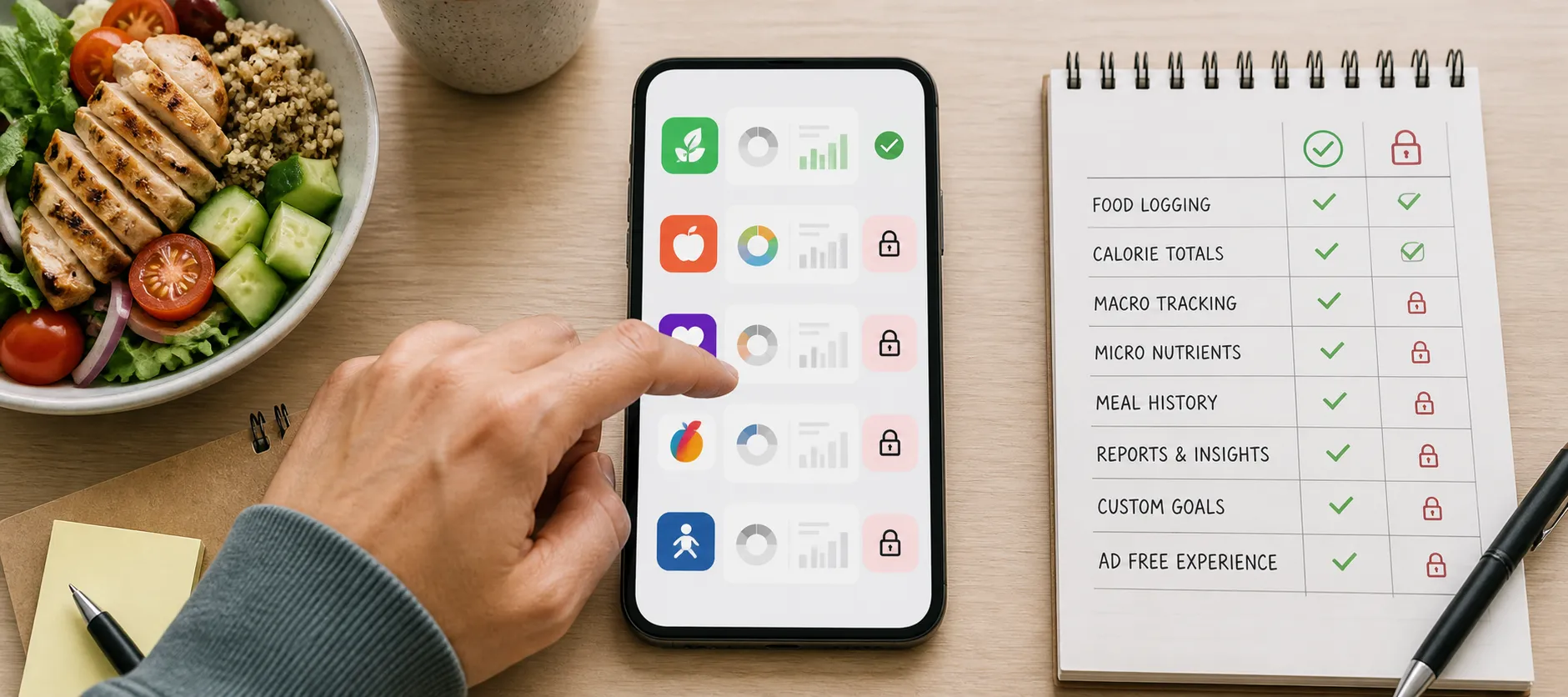
- Which features are often free versus usually locked behind Premium
- How to test an app’s real free value before you commit your food data
You open a calorie tracker that says free, then hit the familiar catch: the helpful parts may disappear behind Premium. For most people, the real question is simpler than coaching, meal plans, or AI photo logging. Can you still log normal meals, see calories and macros, and review your day without paying?
That is the standard this ranking uses. We judge apps by practical free usability, not brand popularity or the biggest feature list, including whether basics stay useful after trial prompts, upsells, ads, or limits on things like barcode scanning, custom goals, and deeper reports.
The best free calorie counter apps, ranked by free-tier usefulness
If your goal is to track food without getting cornered into Premium, this is the short answer. A free calorie counter is only truly useful if you can log ordinary meals, see calorie and macro totals, and review your day without subscribing.
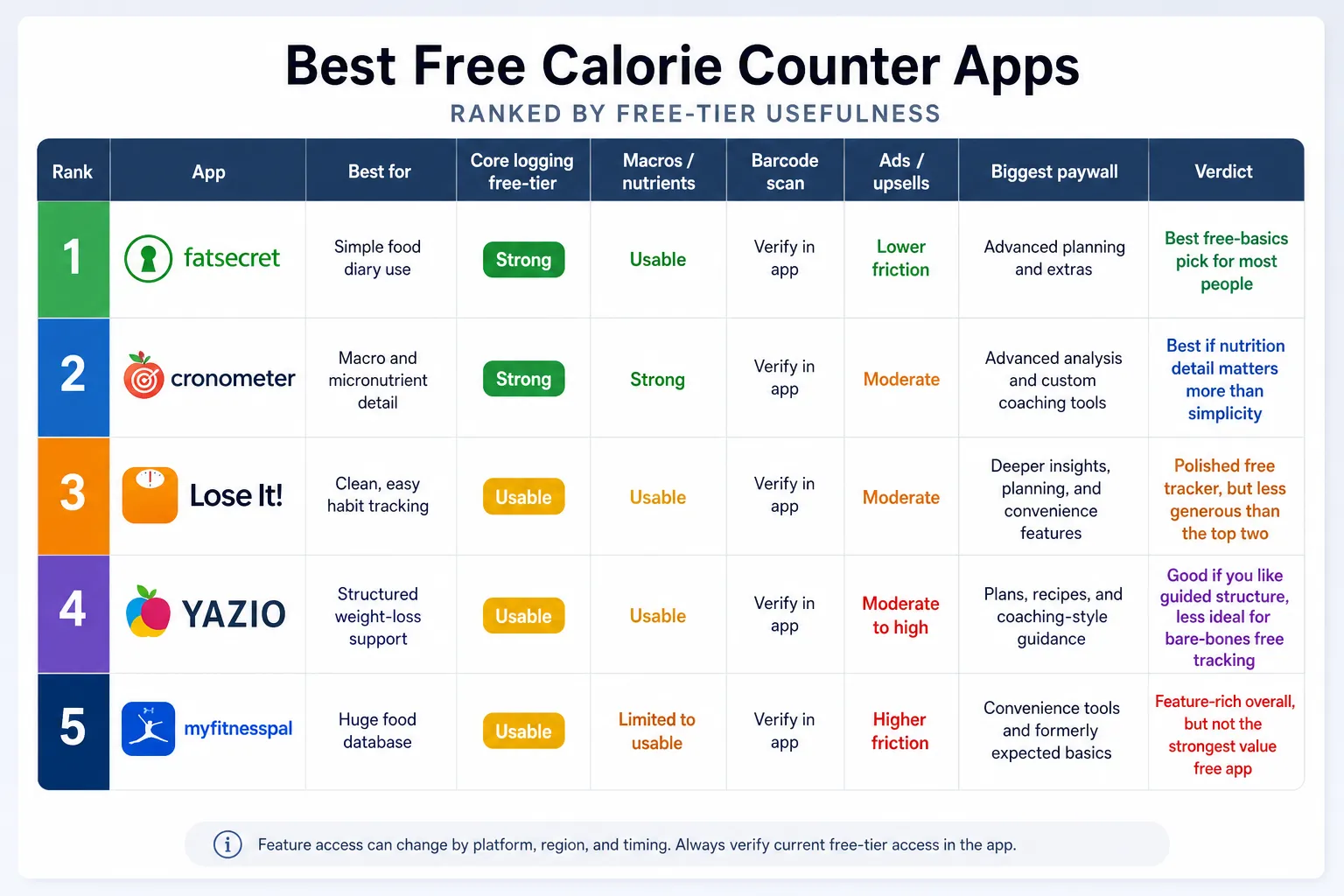
- 1. FatSecret for straightforward daily logging with relatively low friction
- 2. Cronometer for detailed nutrition and micronutrient tracking on the free tier
- 3. Lose It! for a polished interface that still covers basic tracking well
- 4. YAZIO for guided weight-loss users who can live with more premium nudges
- 5. MyFitnessPal for database depth, but a less generous free experience
Exact feature access can change by platform, region, and timing, especially for barcode scanning and in-app upgrade prompts. These positions reflect the current verification pass using official feature and pricing pages from FatSecret, Cronometer, Lose It!, YAZIO, and MyFitnessPal.
- FatSecret | Best for: simple food diary use | Core logging free? Strong | Macros/nutrients: usable | Barcode: verify in app | Ads/upsells: lower friction | Biggest paywall: advanced planning and extras | Verdict: best free-basics pick for most people
- Cronometer | Best for: macro and micronutrient detail | Core logging free? Strong | Macros/nutrients: strong | Barcode: verify in app | Ads/upsells: moderate | Biggest paywall: advanced analysis and custom coaching tools | Verdict: best if nutrition detail matters more than simplicity
- Lose It! | Best for: clean, easy habit tracking | Core logging free? usable | Macros/nutrients: usable | Barcode: verify in app | Ads/upsells: moderate | Biggest paywall: deeper insights, planning, and convenience features | Verdict: polished free tracker, but less generous than the top two
- YAZIO | Best for: structured weight-loss support | Core logging free? usable | Macros/nutrients: usable | Barcode: verify in app | Ads/upsells: moderate to high | Biggest paywall: plans, recipes, and coaching-style guidance | Verdict: good if you like guided structure, less ideal for bare-bones free tracking
- MyFitnessPal | Best for: users who care most about a huge food database | Core logging free? usable | Macros/nutrients: limited to usable depending on need | Barcode: verify in app | Ads/upsells: higher friction | Biggest paywall: convenience tools and formerly expected basics | Verdict: feature-rich overall, but not the strongest value free calorie counting app
FatSecret lands first because the free experience is still centered on the basics: log meals, check totals, and move through the day without too many interruptions. Cronometer is a close second because its free tier remains especially useful for people who want more than calories alone.
Lose It! and YAZIO are both workable, but they feel more clearly designed to move active users toward paid features over time. MyFitnessPal still matters because of its popularity and food database, yet for this article’s standard, free-tier usefulness is weaker than overall brand recognition.
If you want a broader comparison that weighs design, ecosystem, and long-term fit beyond free value alone, see our full calorie tracker app comparison.
What counted as “not paywalling the basics”
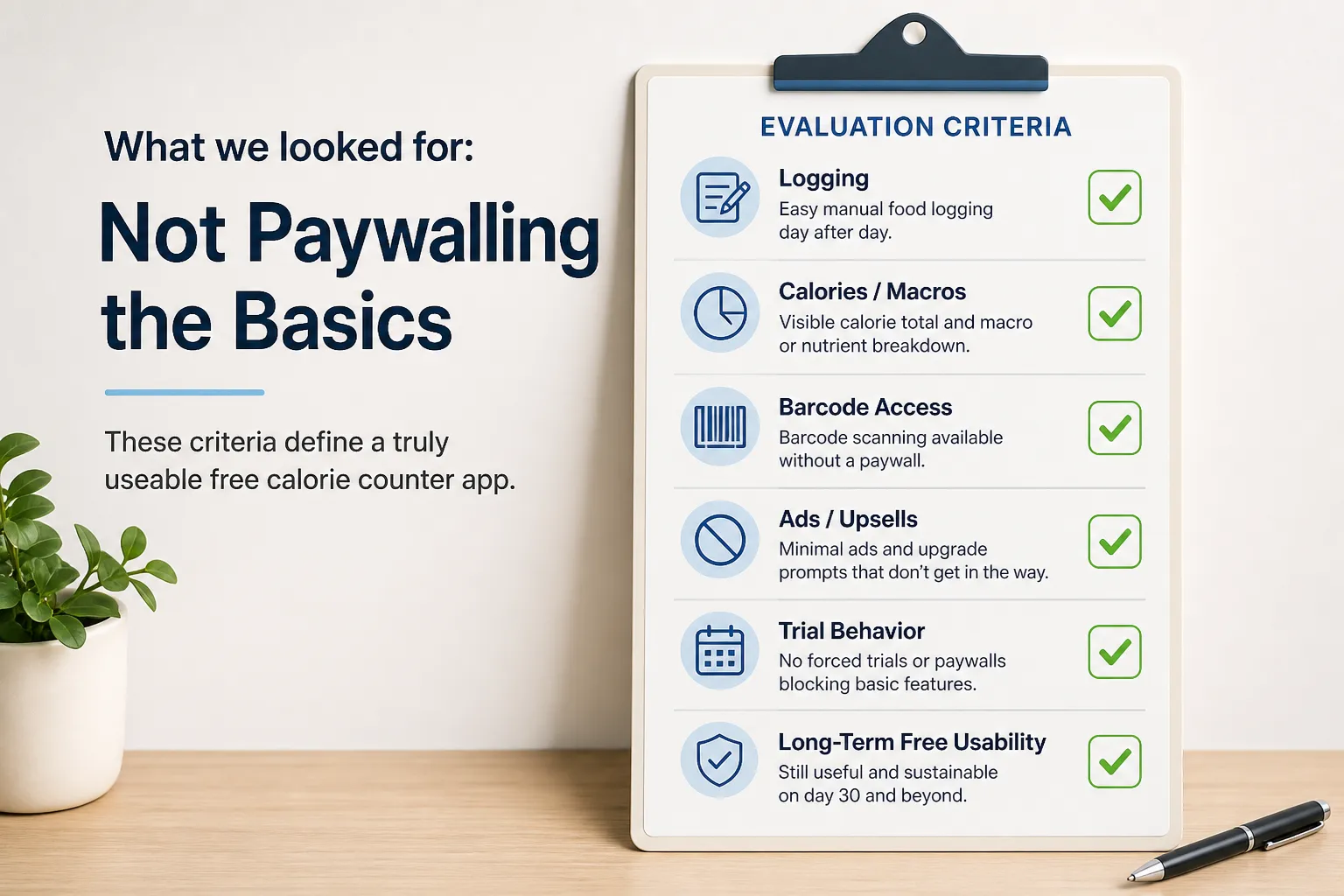
For this ranking, “the basics” did not mean every feature a power user might want. It meant the minimum needed to track calories day after day without hitting a subscription wall: manual food logging, a visible calorie total, a usable meal diary, weight goal setup, and enough macro or nutrient data to make normal decisions at lunch or dinner.
We also treated some convenience features as part of the real free experience. Barcode scanning, saved meals, recent foods, recipe entry, and easy edits are not advanced analytics, but they reduce friction. That matters because a free calorie counter app only stays useful if logging still feels sustainable after the first week.
This is why the scoring weighted repeatable daily logging more heavily than premium extras. A citable rule of thumb here is simple: the best free app is the one you can still use on day 30, not the one with the flashiest upgrade screen on day 1.
By contrast, features like coaching, custom plans, AI photo logging, meal plans, fasting tools, deeper trend reports, and ad-free upgrades were treated as non-basic premium add-ons. Two apps can both advertise “free calorie tracking,” yet one may keep everyday logging straightforward while the other puts barcode scanning, useful insights, or too many shortcuts behind a paywall.
Friction also counted in the score. Ads, repeated upgrade prompts, confusing locked tabs, forced trial flows, and review patterns about recent free-tier cuts can all make a technically free app much harder to use. App store reviews are not perfect proof, but they can help surface patterns worth checking on listings such as the Apple App Store, Google Play, and app pages like Lose It! on the App Store.
Before publication, the writer should verify each app on official pricing pages, live app screens, trial prompts, and recent reviews, since free features can change by platform, region, and timing.
FatSecret and Cronometer are the strongest free choices for different reasons
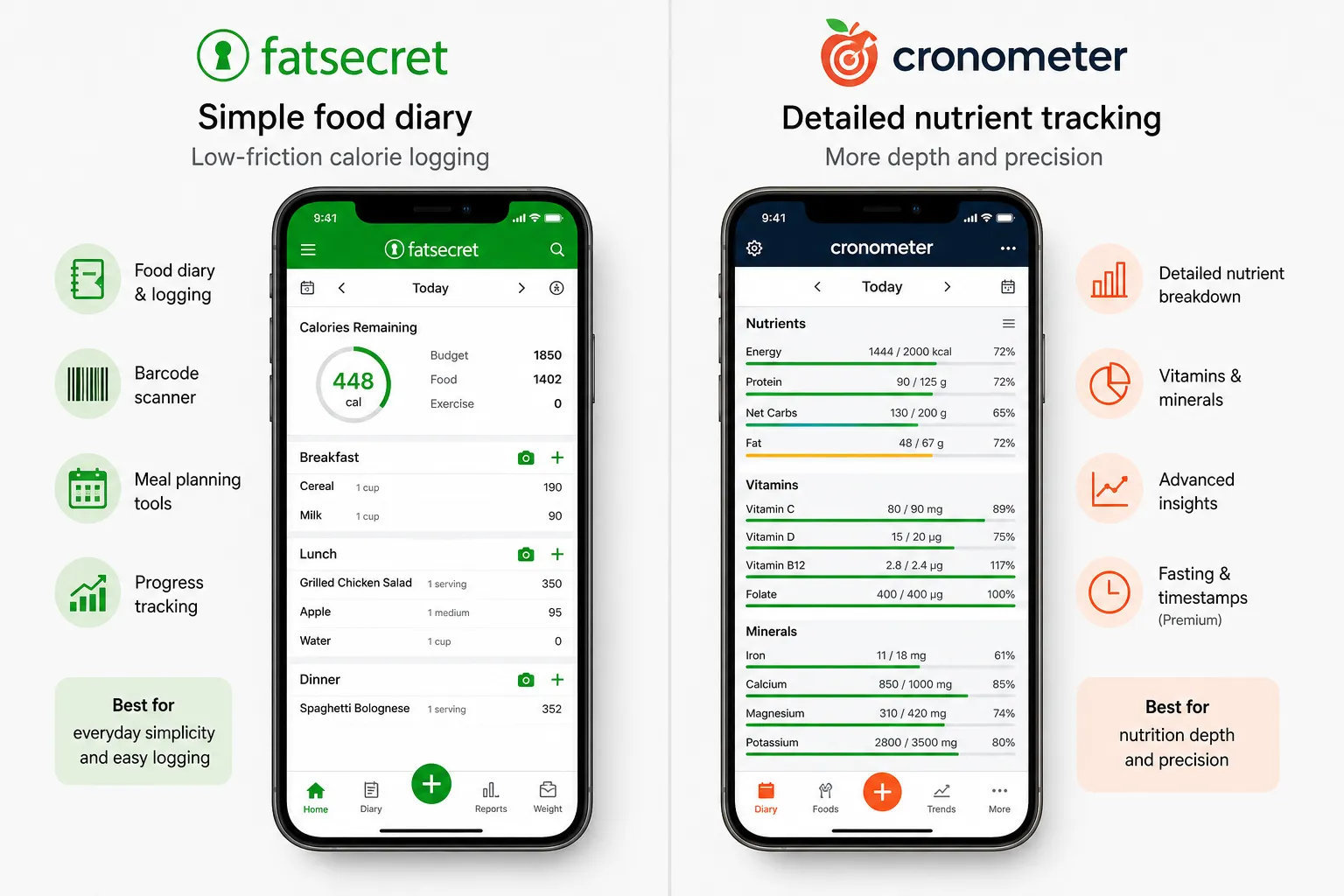
If you want the short version, FatSecret is the simpler free diary pick; Cronometer is the better free nutrition-data pick. Both still make sense as free-first recommendations because the core job of a calorie app stays usable without immediately collapsing into upsells, even though features can vary by platform, region, and timing.
FatSecret stands out because it keeps the basics approachable. Its product page highlights food logging, calorie tracking, meal planning tools, and barcode support in the broader app experience, with extra features reserved for Premium rather than making the free version feel unusable from the start FatSecret.
Cronometer is a different kind of value. Its Premium page makes clear that advanced planning, timestamps, fasting tools, and deeper analysis are part of the paid tier, which also implies the free version still covers a substantial amount of core tracking and nutrient visibility Cronometer Premium. That is why it remains one of the best free calorie tracker options for people who care about more than calories and macros.
- FatSecret: Best for low-friction calorie logging and a straightforward food diary.
- Cronometer: Best for users who want detailed nutrient data and more precision.
- Shared strength: Both are still genuinely useful before you pay.
- Shared caveat: Neither should be described as fully paywall-free in every feature.
A quick side-by-side makes the difference clearer:
- Best for: FatSecret for everyday simplicity; Cronometer for nutrition depth.
- Free strengths: FatSecret keeps meal logging practical; Cronometer exposes more nutrient detail in the free tier.
- Likely Premium temptations: FatSecret adds upgraded coaching and planning tools; Cronometer adds convenience features and more advanced analysis source.
- Possible drawbacks: FatSecret can feel more basic; Cronometer can feel more technical and less casual.
That tradeoff matters more than app-store polish. If your goal is simply to log breakfast, lunch, dinner, and snacks without feeling like every useful tap leads to a subscription screen, FatSecret is probably the better fit. If your goal is to understand fiber, vitamins, minerals, and a fuller nutrient picture, Cronometer gives you more information up front.
Recent user sentiment on Google Play also supports Cronometer’s reputation for serious tracking, though reviews should be treated as experience signals, not proof of universal behavior Google Play. For most readers, the decision is less about which app has more features overall and more about which free experience matches how they actually plan to log food every day.
Lose It!, YAZIO, and MyFitnessPal are free, but the friction is harder to ignore
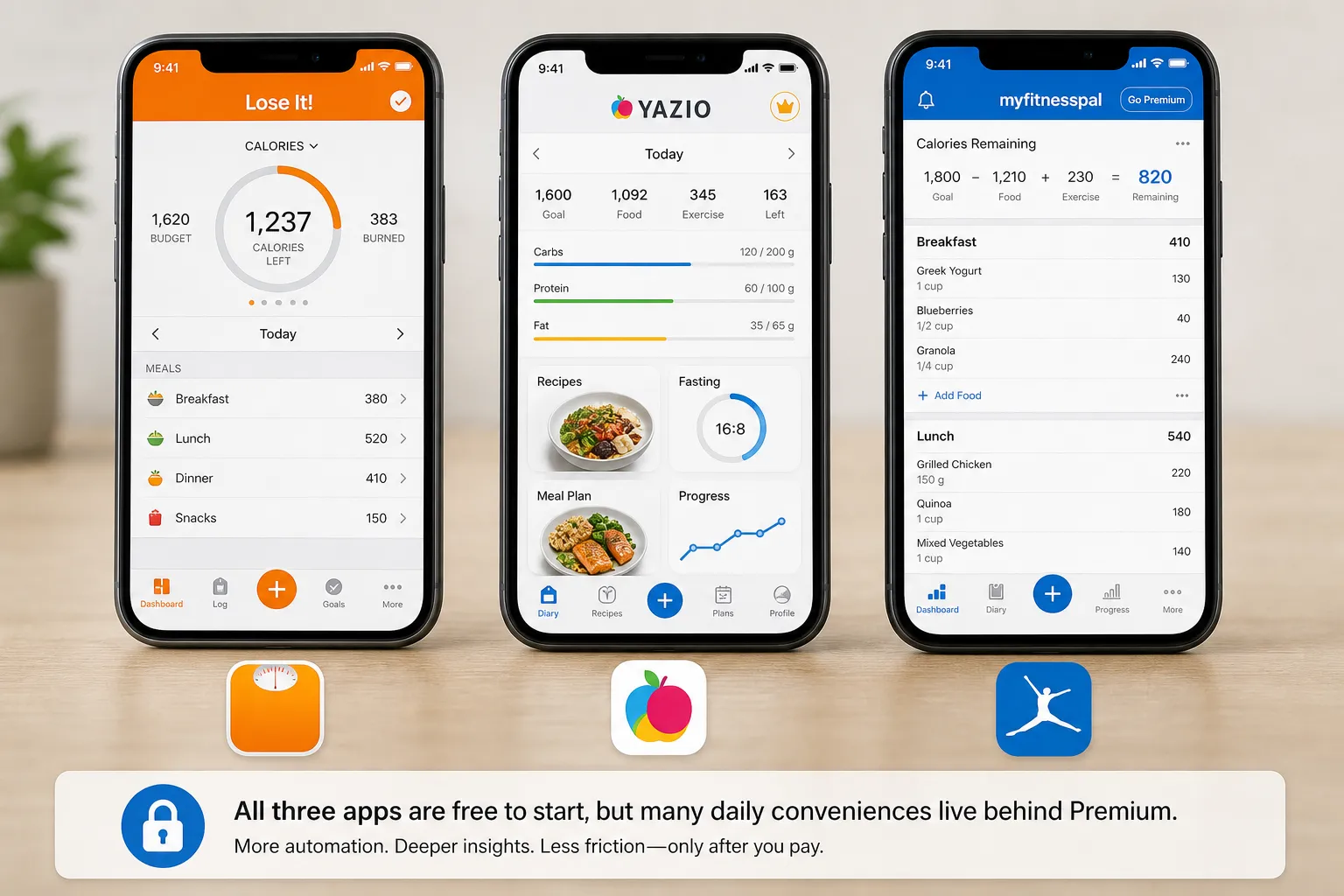
These three apps are popular for a reason. They are polished, widely used, and capable of helping someone track food successfully. But for a reader looking for the best free calorie counter app, popularity is not the same thing as generosity.
A useful rule here is simple: a calorie app can be excellent overall and still be a weak free-only recommendation if too many daily conveniences sit behind Premium. That is the tradeoff with Lose It!, YAZIO, and MyFitnessPal. They can still work for free, but the friction shows up sooner.
Lose It! is often the easiest of the three to recommend if your goal is basic calorie logging with a mainstream feel. Its Premium page emphasizes extras like advanced insights, flexible planning tools, and more convenience-oriented features, which is a sign that the free tier is meant to get you started while paid features deepen the experience according to Lose It!. Use it free if manual meal logging covers most of what you need. You may hit Premium when you want more automation, trend detail, or a smoother day-to-day workflow.
YAZIO tends to appeal to people who want structure. Its paid offering leans heavily on meal plans, recipes, fasting guidance, and more guided nutrition support on YAZIO’s Premium page, which helps explain why the free version may feel thinner if those are the reasons you downloaded it in the first place. Use it free if you mostly want a simple food diary. You may hit Premium when you want the coaching layer, recipe support, or more personalized planning.
MyFitnessPal is still one of the best-known names in calorie tracking, and its food database remains a big reason people stay with it. But its Premium positioning centers on features like advanced insights, more tailored goals, and a more refined tracking experience on MyFitnessPal’s feature page. Use it free if you already know the interface and do not mind manual entry. You may hit Premium when barcode access, deeper macro trends, or reduced upsell friction start to matter more than the familiar brand.
This does not mean these apps are bad choices. It means they rank lower in a free calorie tracker app comparison because many users who refuse to pay are specifically trying to avoid repeated reminders that the better version is one subscription away.
If you already like MyFitnessPal and it still fits your routine, there is no reason to abandon it just because another app scores better on free-tier value. But if you are tired of that style of freemium model, this guide to easier MyFitnessPal alternatives may be a better next step.
As always, feature access can vary by platform, region, and timing. That matters especially for things like barcode scanning, plan features, and how aggressively Premium is presented inside the app.
Barcode scanning and AI logging are where free plans usually crack
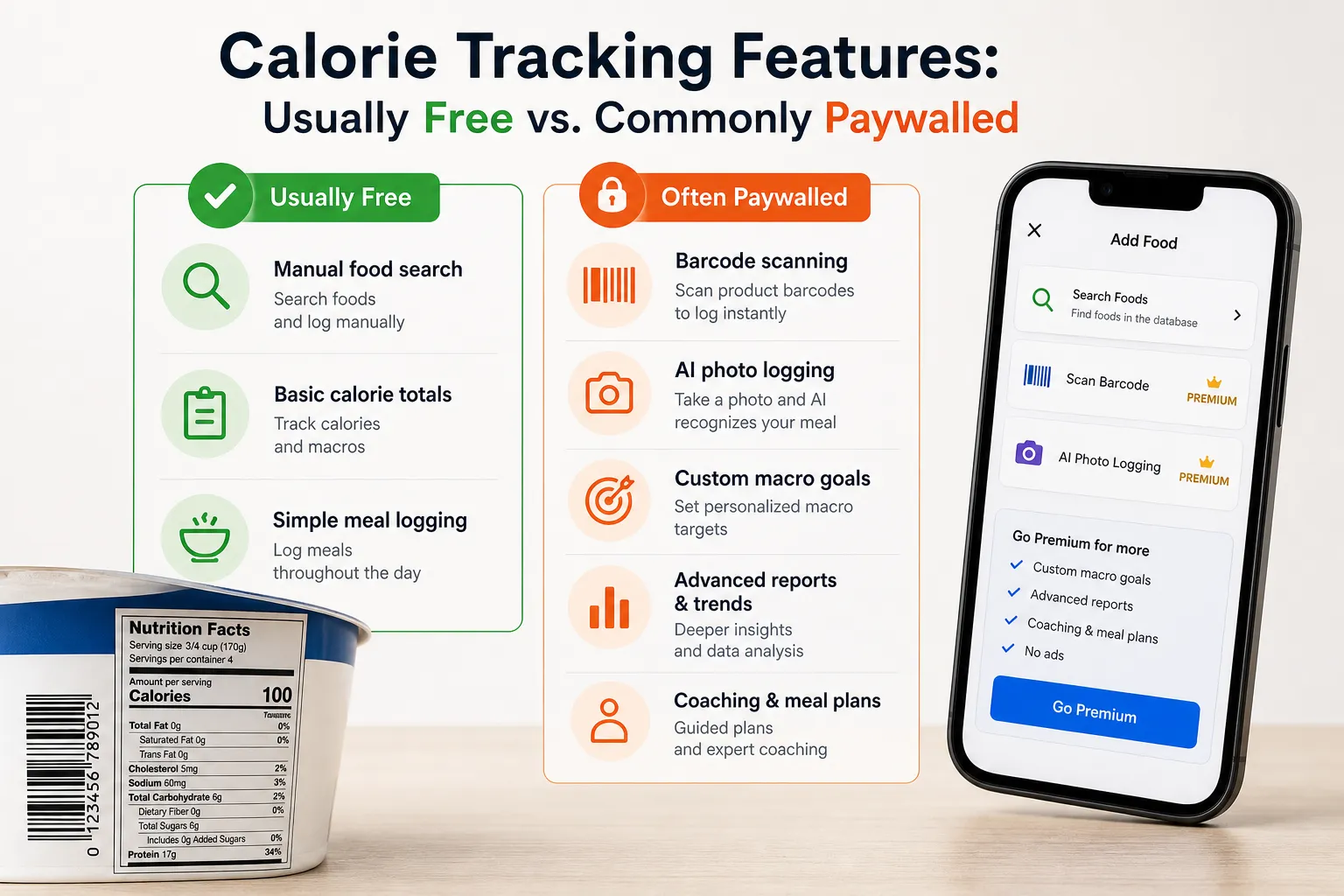
The clearest freemium pattern in calorie tracking is simple: manual logging usually stays free, while faster logging and smarter analysis become paid upgrades. In practice, that means you can often search for and log “Greek yogurt,” but scanning the tub or using AI meal recognition is more likely to trigger a Premium prompt.
For most free calorie apps, the paywall does not block calorie counting; it blocks speed, automation, and interpretation.
That pattern shows up across the category. Official Premium pages from MyFitnessPal and Lose It! both position paid plans around convenience, automation, and deeper insights, even when basic food logging remains available for free. Features can still vary by platform, region, and timing, so it is worth checking before you download.
A useful rule of thumb is:
- Usually free: manual food search, basic calorie totals, simple meal logging
- Often paid: barcode scanning, AI photo logging, custom macro goals, meal plans, advanced reports, coaching, and deeper trends
Barcode scanning is convenient, but it is not infallible. Food databases can contain outdated entries, user-submitted mistakes, or regional packaging differences, so if accuracy matters, compare the app entry with the product label and the Nutrition Facts format the FDA requires.
That is why the biggest category-wide paywall to watch for is not “can I log food at all?” but “does the app charge for speed and interpretation?” If your main priority is avoiding ads rather than avoiding feature locks, see our comparison of calorie tracker apps without ads.
Choose the app that matches the kind of tracking you will actually do
Before you compare app features, make sure you have a reasonable calorie target to work from. A tracker can help you notice patterns and stay consistent, but NIDDK notes that weight management depends on broader behavior, not one tool alone. If you need a starting point, estimate your target first with a calorie calculator.
The best free calorie tracker is the one whose free limits match your habits. Manual loggers need less than barcode-heavy shoppers, and nutrient-focused users need more than a basic calorie diary.
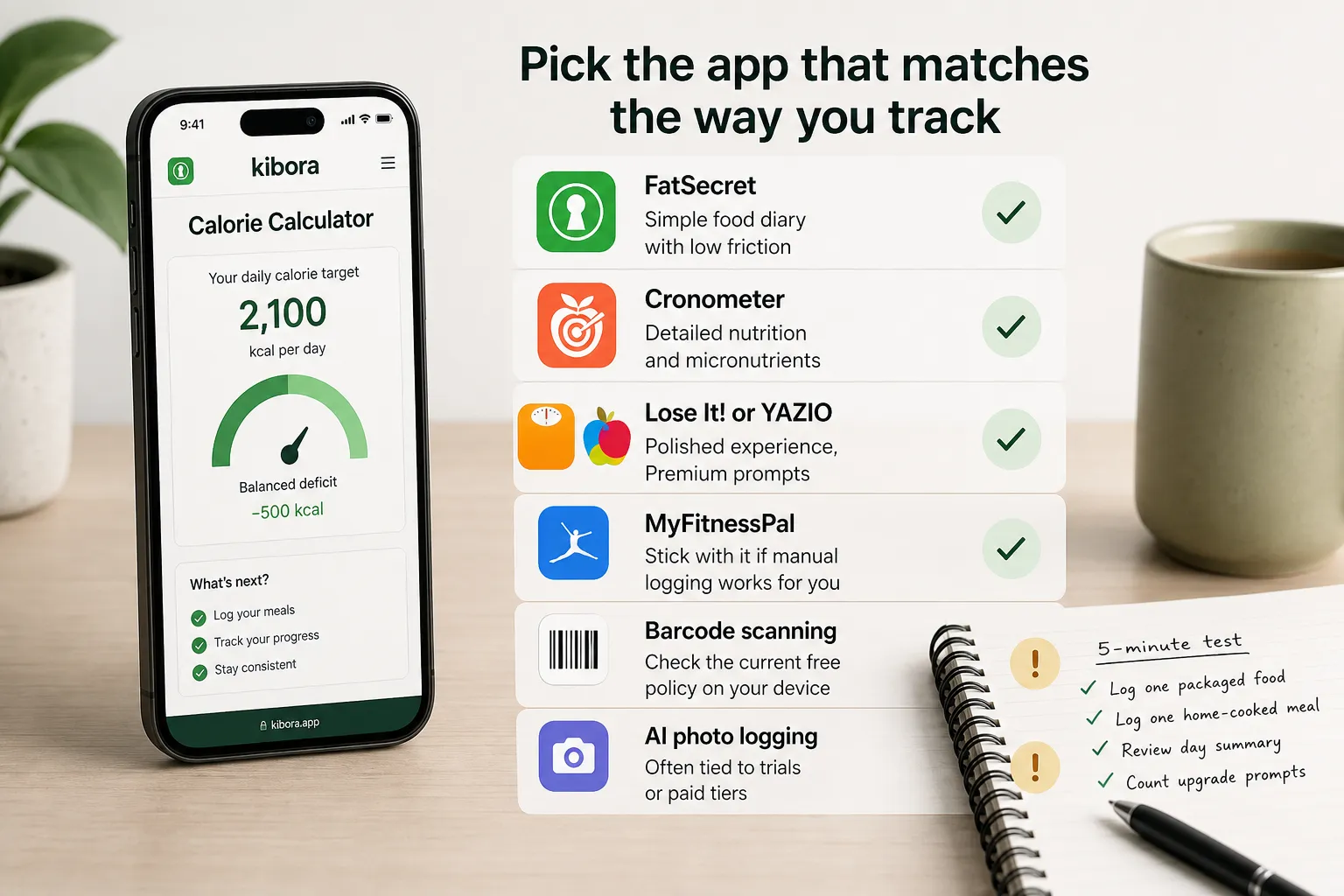
A quick chooser helps more than another ranking:
- Choose FatSecret if you want a simple free food diary with low friction.
- Choose Cronometer if you care about detailed nutrition and micronutrients.
- Choose Lose It! or YAZIO if you want a polished mainstream experience and can tolerate Premium prompts.
- Stick with MyFitnessPal if manual logging already works for you and the free-tier friction does not bother you.
- Do not commit to any app for barcode scanning without checking the current free policy on your device first.
- Keep expectations low for AI photo logging on free plans, since it is often tied to trials or paid tiers.
If you are a beginner, prioritize ease over database depth. If you are a nutrient nerd, a richer nutrition panel matters more than a sleek interface. If you want coaching, these free tiers usually will not replace a human plan. If you hate upsells, friction matters as much as features.
Before settling on any app, run a five-minute test: skip the trial if possible, log one packaged food, log one home-cooked meal, review the day summary, and count how often you hit upgrade prompts. That tells you more about real free usability than any app store screenshot.
The best free app is the one you will still use after the trial banner disappears
For most people who just want dependable free basics, FatSecret is the practical winner. For users who care more about micronutrients, deeper nutrition detail, and tighter data review, Cronometer is the better fit, assuming your own verification confirms that the current free-tier experience still matches what you need.
Lose It!, YAZIO, and MyFitnessPal can still be good apps, but that does not automatically make them the best free choice. The real test is how usable they remain once the upgrade prompts, feature gates, and trial offers are no longer new.
Before you commit weeks of data to any app, run a simple one-day test. Log breakfast, a packaged food, and a restaurant-style meal or recipe, then check whether you can review calories, macros, and your daily totals without starting a paid trial.
The clearest rule of thumb is this: if a free calorie app makes basic logging feel like negotiating with a paywall, it is not the best free app for you. Free tiers change, so treat any recommendation as provisional and re-check the experience before settling in.
- Key sources
- MyFitnessPal pricing/features page
- Lose It! pricing page
- Cronometer pricing page
- FatSecret app page / product info
- YAZIO premium page
- Apple App Store listing for MyFitnessPal
- Google Play listing for MyFitnessPal
- Apple App Store listing for Lose It!
- Google Play listing for Cronometer
- FDA guidance / nutrition labeling resources
- NIDDK Weight Management resources