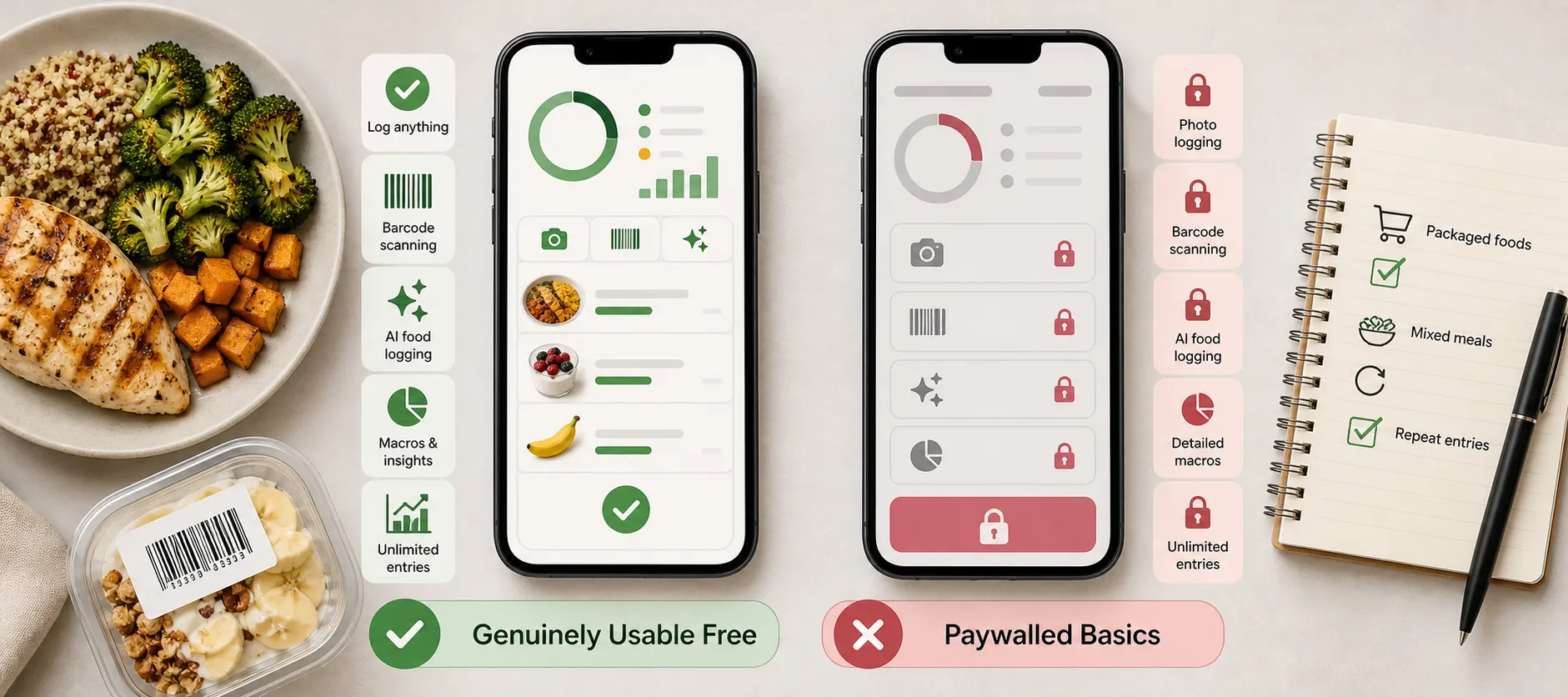
- What you'll learn
- How Kibora’s own-key setup provides full-feature access without a recurring app payment, and what AI provider costs or limits may apply.
- What Kibora’s 10-analysis hosted introduction includes and why it is not unlimited free AI.
- How FatSecret and Cronometer compare for free macros, barcode scanning, and other tracking tools.
- What YAZIO, MyFitnessPal, and Lose It! keep free, including important limits on AI, scanning, and macro access.
- How to test an app’s free tier with packaged foods, mixed meals, and repeat entries before upgrading.
Free to download does not mean everyday tracking stays free. Kibora is our overall AI-powered pick without a recurring app subscription: its full feature set requires no Kibora payment when you connect a supported AI API key, but provider costs and allowances remain separate.
For readers who prefer no API-key setup, FatSecret suits a simple food diary, while Cronometer suits detailed nutrition tracking. Both include free macros and barcode scanning. This comparison focuses on what stays usable after any trial ends, not which app advertises the longest feature list.
The best free calorie counters, by what stays free
- Kibora: best overall for AI without a recurring app subscription, if you accept own-key setup.
- FatSecret: best for straightforward free basics, including macros and scanning.
- Cronometer: best for detailed nutrient tracking.

Kibora’s full feature set requires no Kibora payment with a supported API key. The external provider supplies computation, with separate charges and limits.
Ongoing free access, excluding trials
| App | Best for | Calories | Macros | Barcode | AI |
|---|
| Kibora | Own-key AI | Included | Included | Included | Provider-dependent |
| FatSecret | Free basics | Included | Included | Included | Paid |
| Cronometer | Detailed nutrients | Included | Included | Included | Paid |
| YAZIO | Alternative diary | Included | Included | Included | Paid |
| MyFitnessPal | Established ecosystem | Included | Included | Paid | Paid |
| Lose It! | Calorie budgets | Included | Unresolved | Paid | Paid |
Macros means daily totals, not necessarily custom targets. MyFitnessPal includes percentage-based goals; gram-based goals cost extra.
The final three are conditional alternatives: YAZIO has ads and paid photo AI; free text/voice AI is unverified. MyFitnessPal suits readers accepting paid scanning. Lose It! is a calorie-budget option, not a verified free-macro winner.
Lose It!’s scanning is paid in current US listings, although its general help page contradicts this. Free calorie logging, barcode scanning and AI logging are separate entitlements, not interchangeable promises.
Kibora: best for AI tracking without a recurring app subscription
Kibora is our overall pick for AI-assisted tracking if you are comfortable connecting an API key. Its full feature set requires no Kibora payment with a supported key, and it has no ads. The separate cost to understand is the AI provider’s computation.
With your own key
Bring your own key means connecting a supported provider account so that provider supplies the AI computation. Kibora separates app access from AI computation: its features can cost nothing, while the provider’s limits and charges still apply. An apparently free provider account may stop working or incur charges when its allowance runs out, depending on its terms.
You can log meals through photos, natural-language text or voice, alongside barcode scanning and manual entry. Kibora’s documented tracking tools include calorie and macro targets, corrections, favorites, history and nutrition insights. AI entries are reviewable estimates, not measured portions, so check quantities and ingredients before saving.
With hosted AI
If you would rather avoid provider setup, Kibora’s hosted introduction includes 10 free meal analyses, with no payment details and no countdown. This is a usage-limited introduction, not ongoing unlimited free AI.
The funding routes are distinct:
- Supported own key → provider allowance or provider bill; no Kibora feature payment.
- Hosted introduction → 10 free meal analyses.
- Optional hosted lifetime access → €49.99 once for the account, without a provider key or monthly or annual subscription.
The lifetime offer should not be read as a promise of unlimited hosted requests. After the introduction, own-key access remains an ongoing full-feature route; free manual entry, duplication, favorites, history and analytics are additional fallbacks. The introduction does not automatically charge you.
The tradeoff
You exchange subscription simplicity for some responsibility over provider setup, allowances and billing. Kibora runs in a browser on iPhone, Android and desktop, with app-like installation; that is not the same as verified native-store availability or native integrations.
A small set of July–August 2026 Trustpilot reviews praises photo/text convenience and clear macros; one reviewer notes that complex homemade meals need portion corrections. Reviewers do not identify their access route, so these experiences do not validate own-key setup.
Choose Kibora if AI-assisted logging matters and you accept managing a supported key. Choose FatSecret or Cronometer instead if straightforward free macros and barcode scanning without provider setup matter more.
FatSecret: best for straightforward free calorie and macro tracking
FatSecret provides a complete everyday diary for free: calorie and macro tracking, barcode scanning, reports and community access. No external AI-provider setup is needed, making it a strong alternative if you want to start logging without connecting an API key.
The official Free/Premium comparison places Smart Assistant text/dictation and Smart Food Scan photo analysis in Premium. Broad store mentions of image recognition do not override that distinction, and no ongoing free AI allowance is documented. Optional Premium subscriptions come in monthly, quarterly and annual offers, with pricing varying by region.
The checked Google Play listing lacks a “Contains ads” label. That is not proof of universal ad-free use across platforms, nor does it rule out upgrade prompts.
Logging convenience deserves a test. September 5–6, 2026 Google Play reviewers praised the free functionality but reported literal search matching, extra grouped-entry steps and an incorrect nutrition value. A developer response acknowledged that recent changes had made logging less convenient; these are individual workflow observations, not proof that everyone encounters those problems.
Choose FatSecret if free macros and barcode scanning without provider setup matter more than AI logging. Our FatSecret versus MyFitnessPal comparison explores the diary tradeoffs further. Before committing, search for your usual foods, verify a few nutrition entries and log a repeat meal to check whether its generous free plan also feels quick enough.
Cronometer: best for detailed nutrition tracking on a free plan
If you want to understand more than calories, Cronometer’s nutrient detail is its strongest reason to choose it. The permanent $0 Basic plan includes calorie logging, macro and micronutrient targets, barcode scanning, and custom foods, meals and recipes.
The free-versus-paid boundary largely separates hands-on tracking from convenience and deeper analysis. You can build a recipe manually for free; automatically importing one requires Gold. Photo Log, Voice Log, advanced charts and ad removal are also Gold features, so do not count on ongoing free AI logging.
Basic’s seven-day chart and report window limits the period you can analyze with those tools. It does not mean your diary disappears after seven days.
Basic contains ads, as disclosed in the Android listing. Gold trial offers may depend on eligibility, but continued Basic use does not require a subscription.
Food coverage is worth testing with your usual groceries: some Spanish-language reviewers praise the free functionality while reporting country-specific food-search gaps. That is a local workflow consideration, not evidence of a universal problem.
Choose Cronometer if nutrient targets will inform your food choices; a simpler diary may suit you better if that detail feels like clutter. Our MyFitnessPal versus Cronometer comparison explores that depth-versus-simplicity tradeoff.
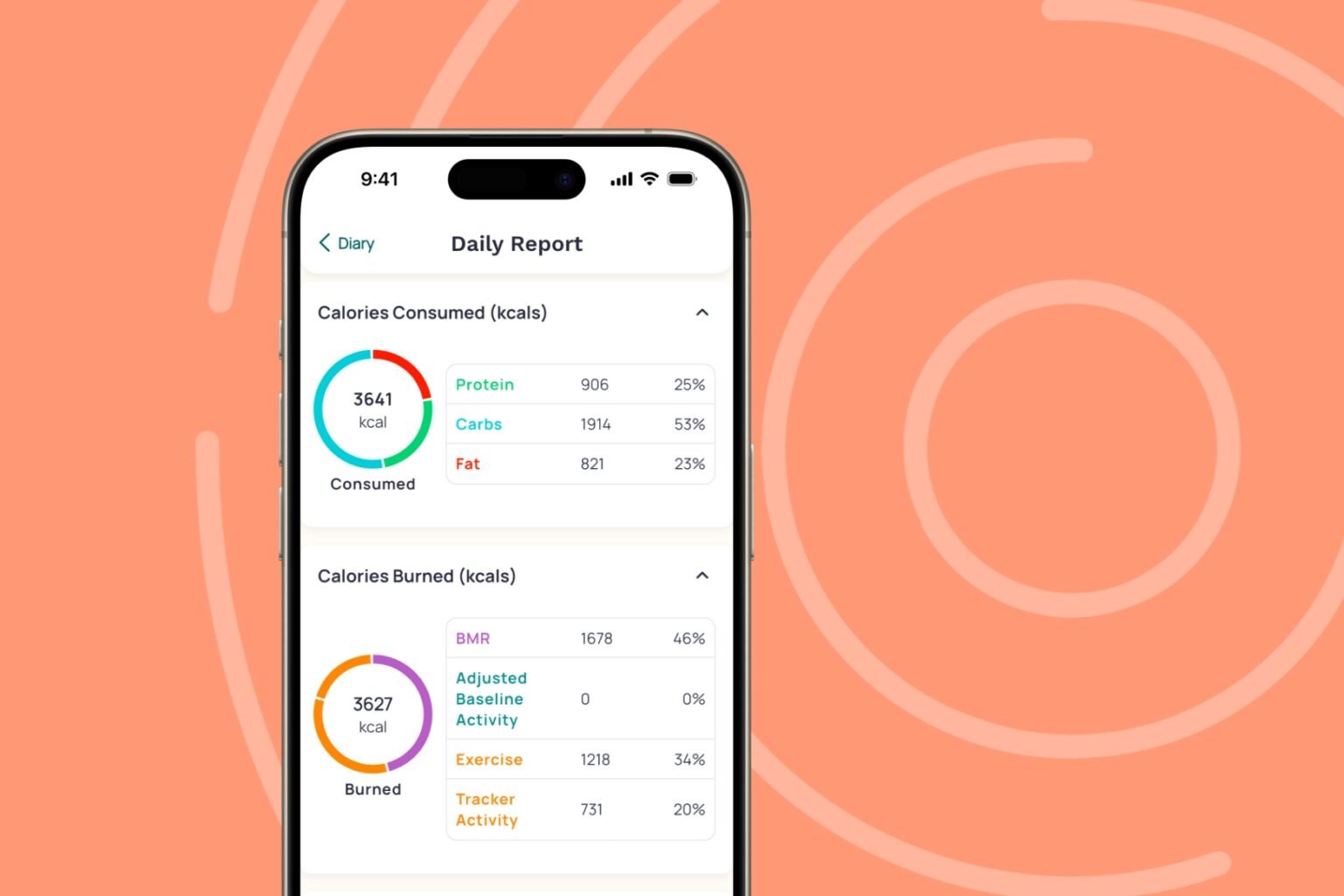
YAZIO, MyFitnessPal and Lose It!: useful with specific compromises
YAZIO: free calories and macros, paid photo AI
YAZIO includes calorie tracking, macro totals and barcode entry for free, making it a practical option for everyday food logging. Photo recognition, however, is now a Pro feature, despite initially being free. Do not assume broader AI marketing means every AI input method is included.
The free experience includes ads, while motivational screens add a separate kind of interruption. In UK Google Play review responses, YAZIO said motivational pop-ups could not currently be disabled. That is a workflow consideration, not another feature paywall.
Its occasional seven-day website trial is not universal and requires cancellation to avoid paid continuation; after cancellation and expiry, the account returns to Free. Choose YAZIO if free scanning and macros matter more than photo AI, and you can tolerate ads and engagement prompts.
MyFitnessPal: free macro viewing, paid scanning
MyFitnessPal Free retains food and exercise logging, recipes, calorie goals, macro viewing and percentage-based macro goals. Viewing macro totals is not the same as setting goals in grams: MyFitnessPal includes the former free while charging for the latter.
Its plan comparison puts Barcode Scanner, Meal Scan, Voice Log, meal-level macro breakdowns and ad removal in paid tiers. Free therefore works best when searching or manually entering food is acceptable. Trial offers depend on the account; temporary Premium access is not a lasting free entitlement.
April 2026 Google Play feedback mixed praise with diary-order, interrupted-entry and recipe-saving complaints; one reviewer later reported recipe saving working again. These are workflow observations, not evidence that everyone encounters those problems. MyFitnessPal remains reasonable if you already value its logging ecosystem and do not need free scanning.
Lose It!: a calorie-budget option with more caveats
Lose It! Basic provides an ongoing calorie diary and personalized budget, with ads. Current membership documentation and US store listings place barcode scanning, AI photo/voice logging and advanced macro tracking in Premium.
Its general About page still says scanning is free, contradicting those current paid-scanner listings. Complete daily protein, carbohydrate and fat visibility without Premium also remains unresolved, so it is not a verified free calorie-and-macro recommendation.
Eligible new users may receive a seven-day Premium trial, but access is temporary and the annual membership renews automatically unless canceled. A February 2026 Google Play review raised difficulty navigating to weight logging, a specific usability observation rather than a broader verdict.
Choose Lose It! for a straightforward calorie budget, not guaranteed free scanning or complete macros. Our MyFitnessPal versus Lose It! comparison explores these two conditional diary choices further.
Questions to settle before choosing a free tracker
Can AI tracking stay free after a trial?
Kibora’s ongoing own-key route unlocks its full feature set without a Kibora payment, but your supported AI provider’s allowances, limits and charges apply separately. Its hosted introduction includes 10 free analyses with no countdown or automatic charge, not unlimited hosted AI.
Which apps include free barcode scanning?
FatSecret, Cronometer Basic and YAZIO include free barcode entry, Kibora includes it in its full-feature own-key model, and MyFitnessPal requires payment. Current US Lose It! listings put scanning in Premium despite contradictory official help content, so do not count on free access.
How can I tell whether the free version is enough?
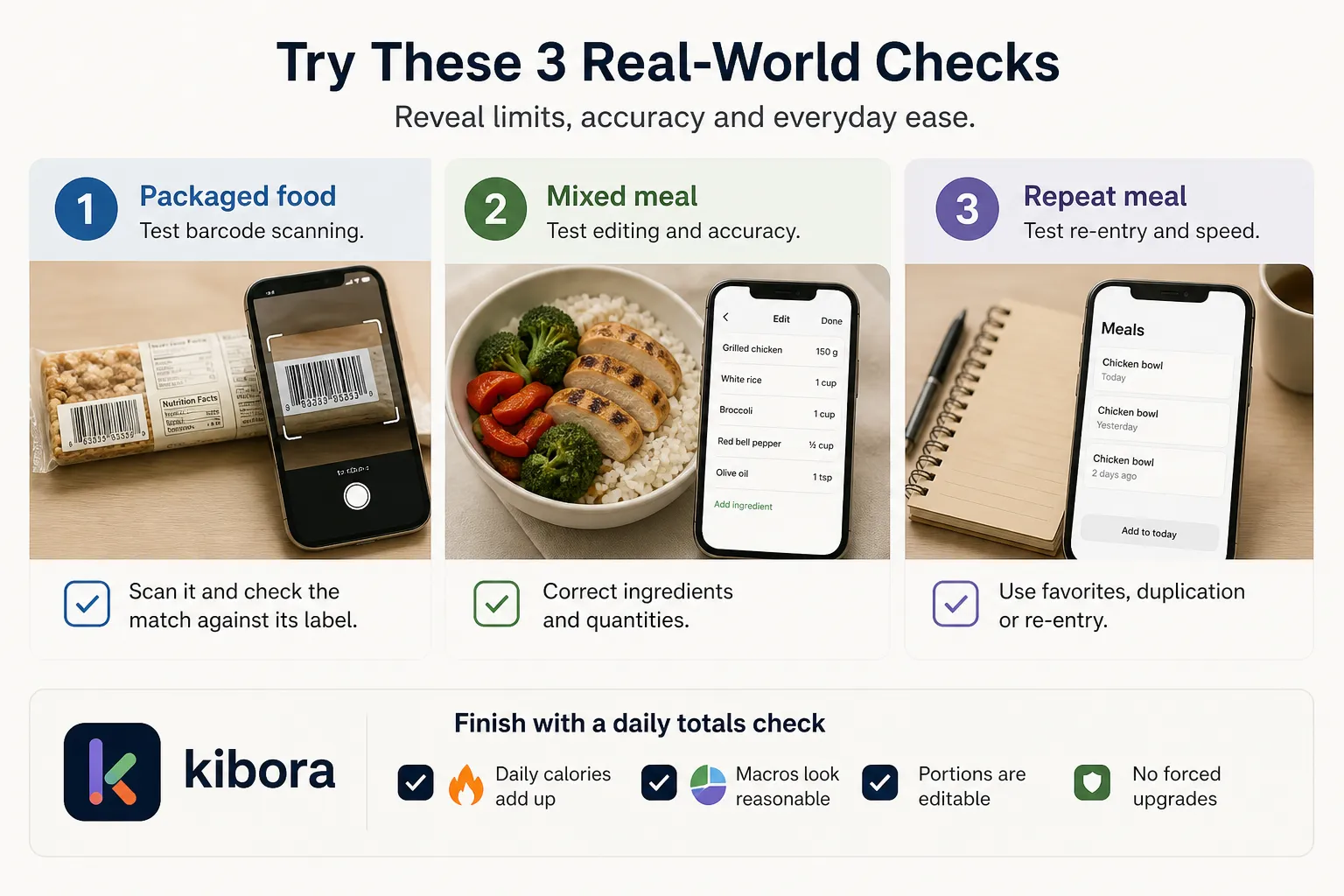
Start with a fresh account and decline optional upgrades. Test a packaged food, a mixed meal and a repeat meal: together, they reveal scanning limits, correction work and everyday logging friction.
- Packaged food: scan it and check the match against its label.
- Mixed meal: correct ingredients and quantities, especially with AI logging.
- Repeat meal: try favorites, duplication or re-entry to see how much work tomorrow requires.
Then inspect daily calories and macros, and confirm you can correct portions. AI logging produces editable estimates, not measured portions. Notice whether ads, upgrade prompts or engagement screens interrupt these tasks, rather than judging the app by onboarding alone.
Choose the free tier that covers your daily routine
Kibora is the overall pick for AI-powered tracking without a recurring app subscription if you’re comfortable connecting a supported AI API key: full-feature access requires no Kibora payment, but provider charges, limits and free allowances remain separate.
Choose FatSecret for uncomplicated free basics, including calories, macros and barcode scanning without API-key setup. Choose Cronometer for nutrient depth, with free macro and micronutrient targets alongside barcode scanning.
Before paying for convenience, test your usual breakfast, a packaged lunch and a typical home-cooked dinner. An upgrade should solve friction you’ve actually encountered, not simply dismiss an onboarding prompt. If AI assistance fits that routine, you can explore Kibora’s own-key approach as an optional next step.
- Key sources
- Kibora homepage
- Kibora pricing
- FatSecret Free/Premium comparison
- Cronometer Basic/Gold comparison
- YAZIO calorie counter
- YAZIO AI calorie tracking help
- MyFitnessPal Free/Premium/Premium+ comparison
- Lose It! membership tiers and pricing
- About Lose It!