- What you'll learn
- Which alternatives offer free barcode scanning, fewer ads or easier meal logging.
- When MyFitnessPal’s existing shortcuts could save you the trouble of switching.
- What to check before switching, including saved recipes, food history and connected devices.
If MyFitnessPal turns a quick breakfast entry into a search, a correction and another screen, it is reasonable to look for something easier. But the best replacement depends on the step you want to remove.
For free scanning without ads, start with MyNetDiary, or Foodnoms on Apple devices. Lose It is worth trying for its previous-meal shortcuts, Cronometer for clearer food sources, and Kibora for describing or photographing meals and reviewing the result. MacroFactor addresses a different kind of effort: deciding when to adjust your calorie target.
An alternative earns its place when it makes your normal routine easier. That might mean fewer interruptions, less repeated entry or less work checking food matches. A different-looking dashboard alone does not establish any of those benefits.
Start with the part of MyFitnessPal you want to change
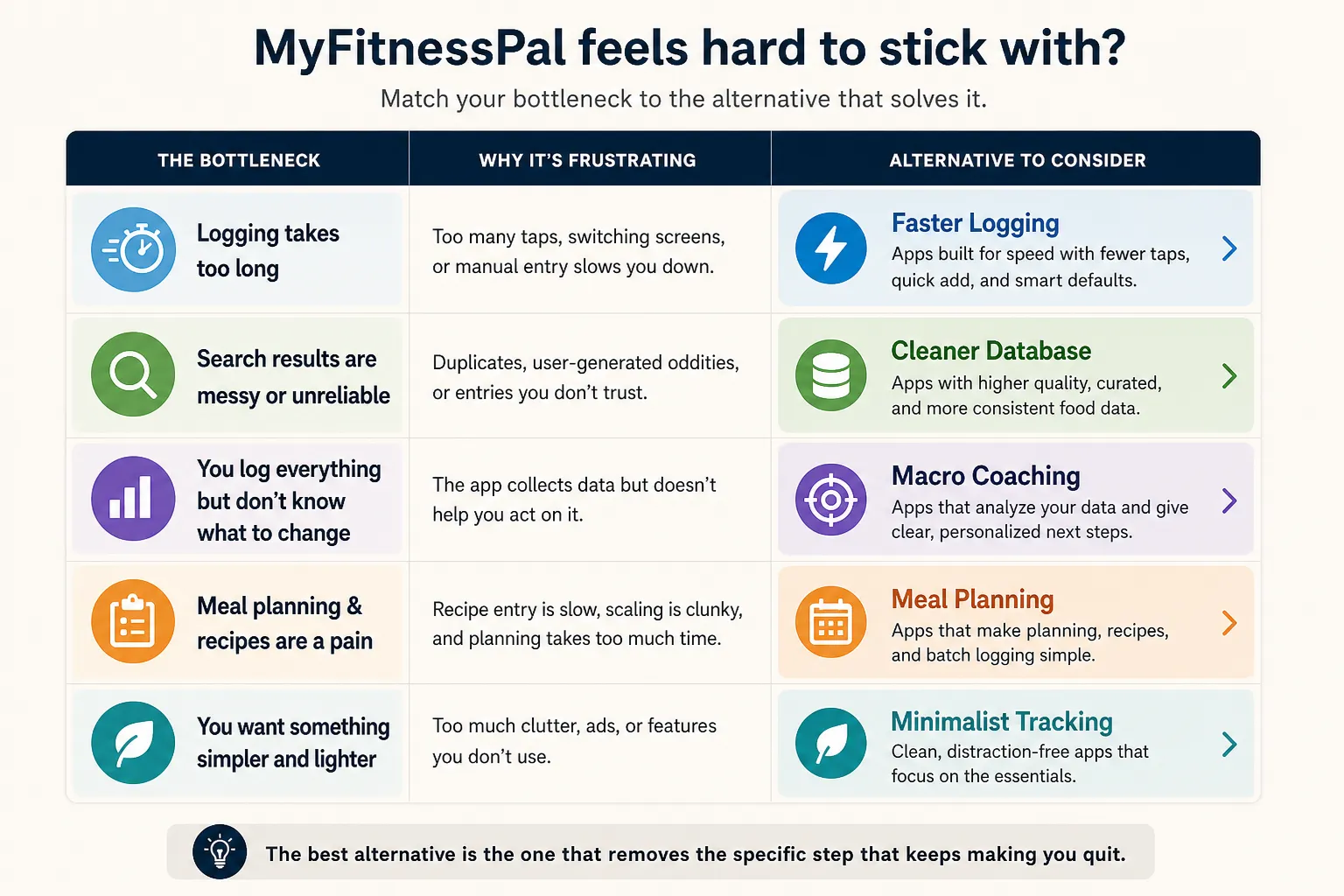
| What gets in your way | Alternative to try | What to check before switching |
|---|
| Ads and paying to scan everyday products | MyNetDiary | Free barcode scanning and an ad-free diary; advanced tools still have paid tiers |
| You want a focused tracker on Apple devices | Foodnoms | Free scanning and no ads; some shortcuts and features require Foodnoms+ |
| Re-entering meals you eat regularly | Lose It | Try the previous-meal workflow; barcode scanning remains Premium |
| Sorting through food matches you do not trust | Cronometer | Inspect sources and serving units; detailed nutrient screens may be more than you need |
| Searching for every part of a meal | Kibora | Try photo, text or voice entry and check how much correction your meals need |
| Deciding whether your calorie goal needs changing | MacroFactor | Adaptive targets require a paid plan and regular food and weight data |
These are starting points based on documented features, not a universal ranking of the fastest apps. Free and paid boundaries were checked in September 2026; your platform and account offer can affect availability.
If ads and paid scanning are the problem
MyNetDiary is a practical first choice when you want to keep a familiar food diary while removing two specific obstacles. Its free plan includes barcode scanning, calorie and macro tracking, and no ads. You can test your usual packaged foods without paying to unlock the scanner.
That does not make every feature free. Meal-photo analysis and additional planning or coaching tools have separate access limits. If scanning your breakfast yogurt is the job you need done, judge the free diary on that job before considering an upgrade.
Foodnoms offers another route for iPhone, iPad, Mac and Apple Watch users. Its free and paid plans keep core calorie and macro tracking ad-free. Its product comparison page confirms free barcode scanning and offline logging.
The important boundaries are Apple devices only and paid extras. Foodnoms+ adds features such as pinned favorites, additional nutrient tracking and Apple Health import. A quieter app can still put a shortcut you particularly want in its paid tier.
If avoiding a crowded experience matters more than any single feature, our minimalist calorie tracker guide explores that narrower preference.
If you keep rebuilding the same meals
For a repeated breakfast, the easiest entry is often the one you already made. Before moving apps, check MyFitnessPal's free saved meals: its current instructions explain how to group foods and log them together. It also documents copying diary items between dates.
If those controls still feel awkward on your phone, Lose It is a sensible comparison. Its meal-history workflow includes Add Yesterday's Meal for repeating a whole meal and a Meals tab for selecting individual foods from previous entries.
Imagine your usual breakfast is eggs, toast and coffee. On a day when you swap the toast for fruit, selecting the familiar items and changing one food may suit you better than copying everything and deleting what changed. That is the interaction to compare—not simply whether both apps have a “saved meals” feature.
Lose It's membership documentation still places barcode, photo and voice logging in Premium. It can be a better fit for repeating meals without being a solution to the scanning paywall.
For more options built around rushed, ordinary days, see our calorie tracker shortlist for busy people.
If finding the right food takes longer than entering it
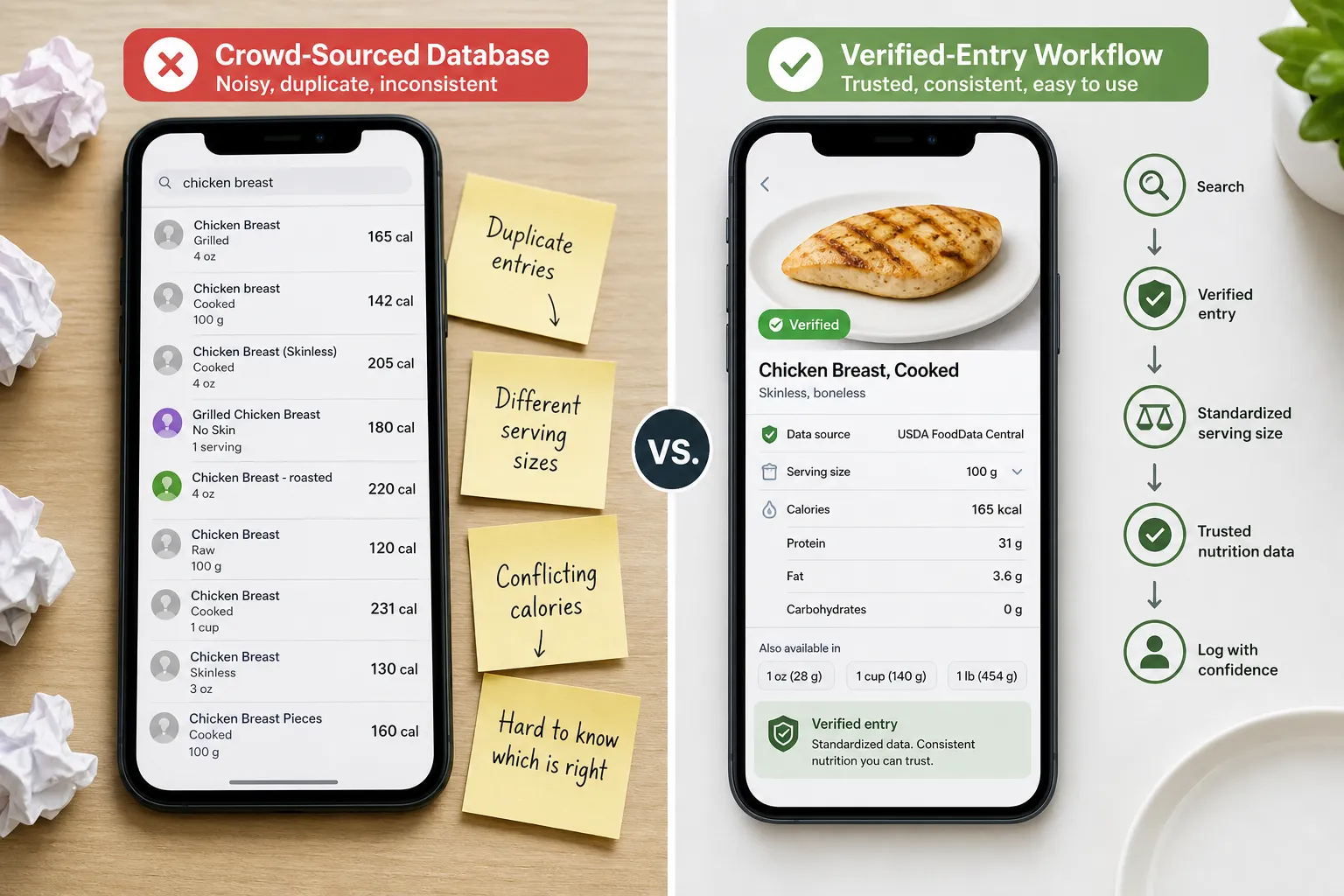
Cronometer is worth considering when your main frustration is deciding which search result to trust.
Its food-source documentation explains the difference between research-based food records, branded label information and reviewed user submissions. That makes the reason for choosing an entry more explicit. You can also use its barcode scanner without a paid plan.
The practical gain is less uncertainty about the entry. When logging plain rice, for example, you still need a suitable cooked or uncooked entry and the amount you ate. When logging a particular packaged product, its label is the relevant comparison. More nutrient fields do not make a different food the right match.
Cronometer also brings detailed nutrient information. That may be helpful if you want to inspect your diet more closely, but it is not automatically a simpler screen for someone who only wants a calorie total. Choose it for the search and data controls you need, rather than an assumption that every curated entry needs no checking. Our guide to accurate calorie tracking covers the wider habits behind reliable logs.
If searching ingredient by ingredient is the chore
Kibora is worth trying when the task you want to change is assembling the meal entry itself.
Its logging features let you photograph, describe or dictate a meal, then review the proposed entry. You can correct portions, ingredients, timing and nutrition before saving. Favorites and previous meals provide a separate route for food you already know.
For a varied lunch, describing “chicken wrap with hummus and a side salad” may be a more natural starting point than several searches. The useful test comes next: can you spot the wrong ingredient and change the portion without rebuilding the meal? The time saved entering food should survive the review step.
MyFitnessPal also offers photo and voice entry through Premium, so the difference is the workflow and access terms you prefer. Kibora's current offer includes 10 free meal analyses, with optional €49.99 lifetime hosted-AI access afterward. Manual entry, duplication, favorites, history and analytics remain free.
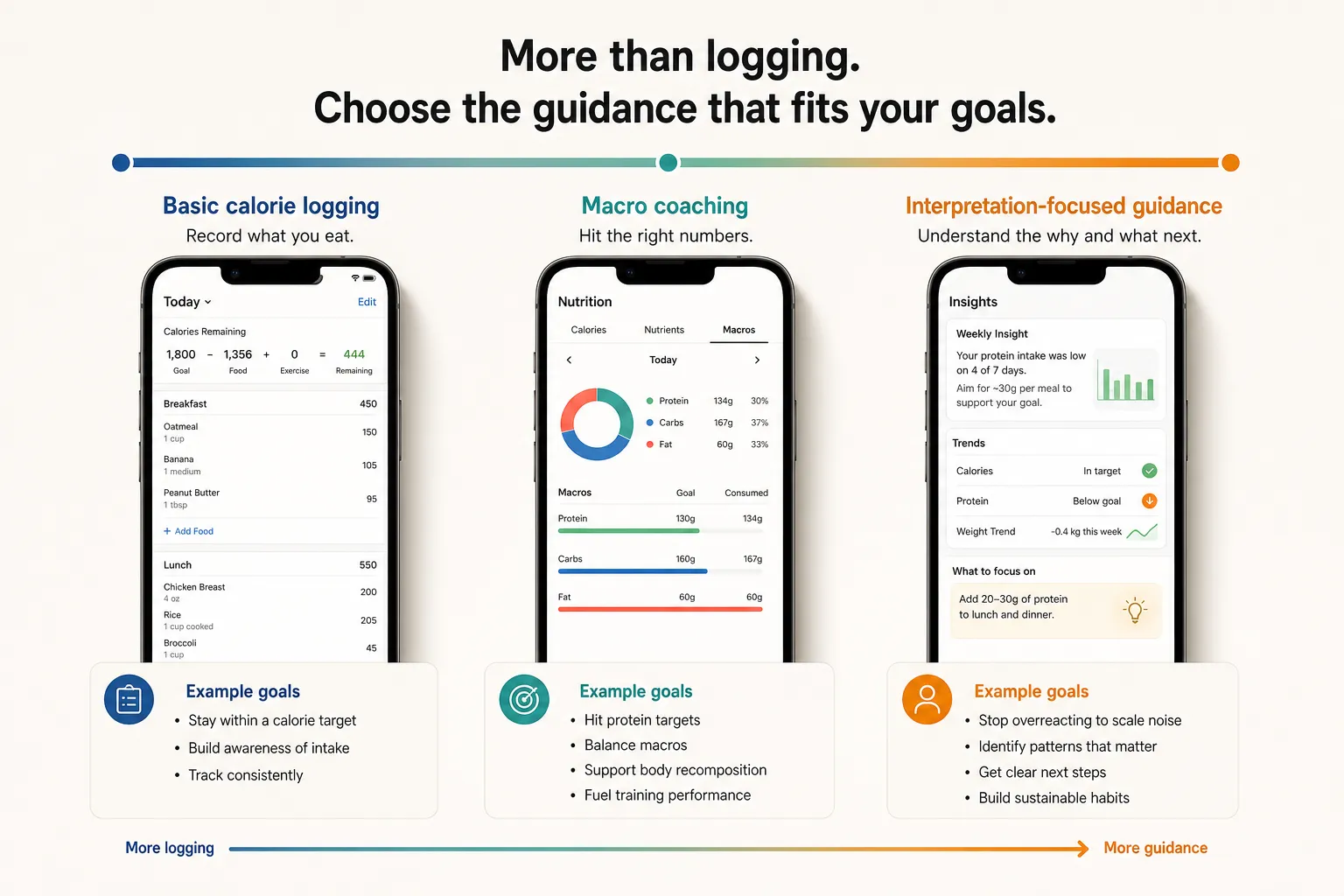
Kibora also provides interpretation around meals and patterns, including protein, fiber and meal timing. That can suit someone who wants help using the diary after filling it in. For a closer product comparison, see Kibora vs MyFitnessPal.
If deciding what to change is harder than logging
MacroFactor deserves consideration when you are comfortable tracking but keep second-guessing your calorie target.
Its expenditure calculation uses logged intake and changes in trend weight to inform calorie and macro recommendations. The potential reduction in effort is in interpreting progress and adjusting targets, rather than simply making the diary look lighter.
That comes with a commitment. You need regular food and weight data for the recommendations to be useful. It is a poor match if your main goal is to stop recording most meals; an adaptive target cannot compensate for a diary that regularly leaves out dinner.
MacroFactor Nutrition is a paid app, with published US options of $11.99 monthly, $47.99 for six months or $71.99 annually. Local pricing can differ. Consider that cost for the ongoing target guidance, rather than buying another subscription merely to escape a crowded interface.
What user reviews tell you about “easier”
A useful review describes the action that became difficult. On MyFitnessPal's Google Play listing, a reviewer who still preferred the app to alternatives wrote:
“The Diary doesn't show the items in the accurate order anymore, which makes it hard to check if I entered them correctly.”
— Kaisle, Google Play, 28 April 2026
That is a specific usability complaint: reviewing an entry became harder. It does not mean the reviewer disliked everything about MyFitnessPal, or that everyone using the current version has the same problem.
Another featured reviewer, Jackie Wirtjes, updated a recipe-saving complaint to say the feature was working again. Reviews can identify useful things to test, but an older complaint may describe a problem that has since changed. Look for feedback about your own recurring task and device, then check that task yourself.
Keep the useful parts of your current setup
Switching has a setup cost. A diary with years of history, reliable food matches and familiar recipes can be easier to keep using than a new app that looks simpler on day one.
For home cooking, MyFitnessPal already includes manual recipe creation and web recipe imports in its free feature set. There is, however, a concrete workflow limitation: copying a saved recipe currently requires its website rather than the mobile apps. If making variations is your sticking point, test that exact operation in the replacement.
Also distinguish nutrition-history transfer from recipe transfer. Foodnoms says it does not directly import MyFitnessPal data; its alternative is reading historical nutrition already synced to Apple Health, through paid import access. That is not a promise that your saved recipes and meals will arrive ready to reuse.
Before committing, try one candidate over a few ordinary days:
- Reuse a familiar breakfast and change one ingredient.
- Log a packaged item you buy regularly and check the match.
- Enter a homemade dish, then find it again for leftovers.
- Confirm that any device connection you rely on supplies the data you need.
Notice where you stop having to think about the app—and where new work appears. You do not need to rebuild your entire library to find out whether its everyday controls suit you.
If the new app removes your recurring obstacle, switching has a clear purpose. If each replacement feels burdensome after the initial novelty, it may help to change the routine itself; our guide to why diet apps don't work long-term explores that side of the problem.
- Key sources
- MyFitnessPal: free features, saved meals, copying diary entries, recipe-copy limitations and Premium features.
- Google Play: MyFitnessPal user reviews.
- MyNetDiary: free barcode scanning and ad-free tracking.
- Foodnoms: free and paid plans and platforms, scanning, offline use and migration limitations.
- Lose It: meal-history workflow and membership features.
- Cronometer: data sources and free barcode scanner.
- Kibora: logging, review and insights and pricing and free access.
- MacroFactor: expenditure and target adjustments and subscription prices.